
WhatsApp CRM for Small Businesses in India (2026): Keep Your Number, Scale Campaigns
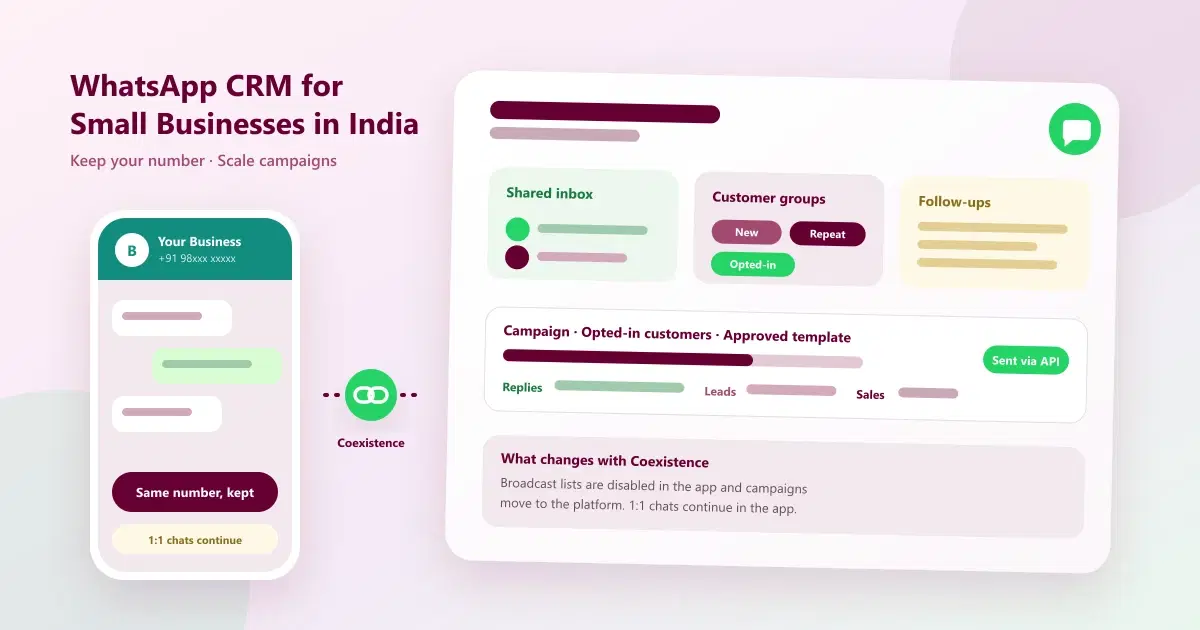
WhatsApp CRM for small businesses in India: keep your number with Coexistence, manage chats in a shared inbox, and run targeted campaigns and follow-ups.
Most small businesses in India start on WhatsApp the same way: one phone, the free WhatsApp Business app, and a number that customers already know and trust. It works until it doesn't. Messages land on several phones, nobody remembers who asked about the offer, broadcast lists stop reaching people, and the owner worries that moving to anything more serious means giving up the number.
It doesn't have to. A WhatsApp CRM lets you keep your existing WhatsApp number, connect it to a shared inbox, customer records and campaigns, and manage conversations, marketing and follow-ups from one platform. This guide explains how that works for WhatsApp CRM for small businesses in India, including exactly what stays the same and what changes when you connect the Business app to a platform.
Quick Answer: What Is a WhatsApp CRM for Small Businesses in India?
A WhatsApp CRM for small businesses connects your WhatsApp number to a shared inbox, customer records, campaigns and follow-up automation. With WhatsApp Coexistence, eligible businesses can keep their number and the Business app alongside the platform, but some app features, such as broadcast lists, change, and campaigns run through the platform.
What Is WhatsApp CRM and WhatsApp Customer Management Software?
A WhatsApp CRM, also called WhatsApp customer management software, is customer relationship software built around WhatsApp. It connects your business number to:
- a shared team inbox, so several people can reply from one number
- customer records with history, tags and notes
- campaigns to relevant, opted-in customer groups
- follow-up automation for people who asked but did not buy
- reports on replies and results
If you are new to the idea, read what WhatsApp CRM is and how WhatsApp CRM works.
Why Small Businesses Outgrow the WhatsApp Business App
The WhatsApp Business app is a good start. These are the usual signs it is no longer enough:
- Conversations are scattered across phones. Staff reply from personal devices, and nobody sees the full picture.
- Customers ask about an offer and are forgotten. Without records, tags and reminders, follow-ups depend on memory.
- Broadcast lists have limits. They are capped in size and only reach people who saved your number.
- The same offer goes to everyone. There is no easy way to target the right customer group.
- There is no view of what worked. You cannot easily see replies, leads or sales by campaign.
- You fear losing the number. Customers know it, and changing it would mean starting over.
Some of these overlap with the problems in top 10 problems managing leads on WhatsApp and top 10 signs your business has outgrown WhatsApp and Excel.
Broadcast Lists vs WhatsApp Campaign Management Software
Many small businesses use broadcast lists for offers. WhatsApp's Help Center says a broadcast list can include up to 256 contacts, you can create as many lists as you like, and only people who have saved your number in their address book will receive the message (WhatsApp Help Center: broadcast lists). That is fine for a small circle of regular customers, but it gets awkward as your list grows.
WhatsApp campaign management software works differently. Campaigns are sent through the WhatsApp Business Platform, which relies on customer opt-in and approved message templates instead of whether a customer saved your number, and which lets you target groups and track results.
| Factor | Broadcast lists (Business app) | Campaigns through a WhatsApp CRM |
|---|---|---|
| List size | Up to 256 contacts per list | Not limited by the 256-contact list cap; subject to WhatsApp's messaging limits |
| Who receives it | Only people who saved your number | Opted-in customers, using approved templates |
| Targeting | Lists you build and maintain by hand | Customer groups based on tags, history and activity |
| Replies and results | Replies arrive in individual chats | Replies routed to a shared inbox, with campaign reports |
| Follow-ups | Manual | Scheduled and automated |
| Team use | Tied to one phone | Shared by the whole team |
WhatsApp CRM With Coexistence: Keep Your Number
The fear of losing the number is the biggest reason small businesses delay. WhatsApp Coexistence is the feature that addresses it. It lets an eligible business keep using the WhatsApp Business app on its phone while the same number is also connected to a platform through the WhatsApp Business Platform. That is what makes a WhatsApp CRM with Coexistence possible: you keep the number your customers already have, and the CRM adds the inbox, records, campaigns and reports.
For a deeper explanation, see WhatsApp Coexistence explained. Here we want to be precise about what stays the same and what does not, because it is easy to oversell.
What Stays and What Changes With Coexistence
Based on Meta's documentation for onboarding Business app users (Meta: onboarding WhatsApp Business app users), at the time of writing:
| Area | What happens |
|---|---|
| Your number | Stays the same. You do not need a new number. |
| One-to-one chats in the Business app | Your team can keep replying to individual chats from the app, alongside the platform. |
| Recent chat history | Recent history is synced to the platform. Meta's documentation describes the most recent 180 days from onboarding. |
| Group chats | Not synced to the platform. |
| Broadcast lists | Disabled in the app. Existing lists become read-only, so you can't create new ones or send to them. Campaigns are sent through the connected platform instead. |
| Disappearing and view-once messages | Turned off for individual chats. |
| Linked devices | Companion devices are unlinked at onboarding, and WhatsApp for Windows isn't supported. |
| Keeping the connection active | Meta notes that a primary phone inactive for around 14 days can cause a disconnection, so keep using the Business app. |
This is why we do not say the Business app "keeps working exactly as before". Individual chats continue, but broadcasting moves to the platform, and a few app features are switched off. Meta updates these rules, and eligibility depends on your number, your app version and your provider, so confirm the current details with your provider before connecting.
How to Set Up a WhatsApp CRM Without Changing Your Number
A WhatsApp CRM without changing number follows a short, practical path.
Step 1: Check that your number and app are eligible
Confirm that your number is a WhatsApp Business app number, that the app is up to date, and that your provider supports Coexistence for it. Eligibility depends on Meta's rules, so ask your provider before you start.
Step 2: Choose a platform that supports Coexistence
Not every WhatsApp tool supports it. Look for a platform that works with your existing number, offers a shared inbox, and runs campaigns through the official WhatsApp Business Platform. Our guide to the top 10 WhatsApp CRM software in India compares options.
Step 3: Tell your team what will change
Explain that broadcast lists will no longer be used from the app, that campaigns will go out from the platform, and that the phone must stay in regular use. Note down any broadcast lists you rely on, so that you can rebuild those audiences in the CRM.
Step 4: Connect your number
Follow your provider's steps to connect the number. Keep your phone nearby and the Business app open during the sync, and choose the time carefully: avoid the busiest hour of your day.
Step 5: Move conversations into the shared inbox
Agree who owns which chats, and what each tag means. A shared inbox lets several people work on one number without sharing a phone. See what a WhatsApp shared inbox is.
Step 6: Organise contacts into customer groups
Add tags for what customers bought or asked about, how recently they engaged, and whether they opted in. Relevant groups are the foundation of targeted campaigns. Our guide on how to organize WhatsApp customers covers the method.
Step 7: Launch a first campaign and the follow-ups
Start small: one relevant offer to one group of opted-in customers, with a follow-up planned for those who reply but do not buy. Review the results before scaling up.
Common Problems and How a WhatsApp CRM Solves Them
| Business problem | What a WhatsApp CRM does |
|---|---|
| Struggling to reach customers with basic broadcast lists | Runs campaigns through the connected WhatsApp Business Platform |
| Conversations scattered across phones | Brings them into one shared inbox |
| Customers ask about offers but don't buy | Organises contacts and schedules follow-ups |
| The same offer sent to everyone | Uses relevant customer groups and targeted campaigns |
| Fear of losing the WhatsApp number | Keeps the number through Coexistence, for eligible businesses |
| No visibility into responses | Tracks campaign performance and replies |
WhatsApp Marketing Campaigns for Businesses
Good WhatsApp marketing campaigns for businesses are relevant, opted-in and measured. A simple approach:
- Segment first. Send a repeat-purchase reminder to past buyers, an early-access message to loyal customers, and a welcome offer to new contacts, not one message to all.
- Use approved templates. Business-initiated messages outside the 24-hour customer service window generally need an approved template, so submit them ahead of time.
- Collect opt-in. Ask customers at billing, in store, on your website and on Instagram, and record the consent.
- Schedule and pace. Plan the campaign calendar and avoid sending too often, which leads to blocks and weaker quality.
- Make replying easy. End with a clear single action, such as "Reply YES to book".
For ideas, see WhatsApp CRM strategies for festive sales.
WhatsApp Customer Follow-Up Automation
WhatsApp customer follow-up automation makes sure people who asked about an offer, a price or a slot are not forgotten. A simple pattern works for most businesses:
- Same day: send the details the customer asked for, with one clear next step.
- A day or two later: a short nudge with one helpful detail.
- Near the offer's end: a polite last reminder.
- After that: stop, and move the customer to a later list.
- After a purchase: thank the customer and ask for feedback, then follow up with something relevant a few weeks later.
Automate the routine parts, but keep a way for customers to reach a person. Our guide to WhatsApp tasks to automate shows where to start.
How Different Small Businesses Use a WhatsApp CRM
The same system works across many types of customer-facing business. These are examples of how each might use it.
| Business type | Example campaign | Example follow-up |
|---|---|---|
| Retail | New arrival or festive offer to past buyers | Reminder to people who asked about an item |
| E-commerce | Back-in-stock or offer message to opted-in customers | Nudge after a product enquiry |
| Salons and spas | Seasonal offer to a service-specific group | Rebooking nudge near the due date |
| Clinics | Health-check or follow-up visit reminders | Reminder for a pending appointment |
| Education | New batch or admission announcement | Follow-up with enquiring parents or students |
| Real estate | New project or site-visit invitation | Follow-up after an enquiry or visit |
| Other services | Seasonal or loyalty offer | Thank-you and repeat-service reminder |
For a worked example, read salon customer retention and repeat bookings.
Track Campaign Performance and Replies
Without numbers, you are guessing. For each campaign, record:
- Messages delivered and the reply rate
- Qualified leads, meaning replies that show real purchase intent
- Conversions and the revenue they produced
- Opt-outs, as a warning sign that you are over-messaging
Compare campaigns and customer groups, then repeat what works. Our guide to WhatsApp marketing metrics explains the formulas.
What Does a WhatsApp CRM Cost in India?
There are two parts to the cost:
- The platform subscription, which varies by provider and plan. Many Indian providers price in rupees per month.
- Meta's WhatsApp message charges, which apply to template messages and are separate from the subscription. Meta updates the rates, so check the current rates before planning a large campaign.
Ask every provider what is included in each plan, what the limits on customers and users are, and whether Coexistence is supported for your number.
Who It Suits, and Who It Doesn't
A WhatsApp CRM suits small and growing businesses that already talk to customers on WhatsApp and want a shared inbox, organised customers and targeted follow-up. That includes retail shops, salons, clinics, education centres, real estate teams and local service businesses.
It may not be the right fit if you only send a few messages a week from one phone, or if you run a very high-volume online store that needs deep catalogue and order tooling more than customer relationships. In that case, compare specialised tools carefully. See our comparison of WhatsApp CRM software in India.
Common Mistakes to Avoid
- Assuming every app feature continues unchanged. Broadcast lists, disappearing messages and linked devices change with Coexistence.
- Connecting during your busiest week. Set up in a quiet period.
- Messaging contacts who haven't opted in. It risks blocks and poor quality ratings.
- Sending one offer to everyone. Use customer groups.
- Not following up. The people who asked and didn't buy are your warmest leads.
- Not measuring. Track replies, leads, conversions and revenue.
- Leaving the phone unused. Keep using the Business app so the connection stays active.
How Cleomitra Helps
Cleomitra is a WhatsApp CRM built around the approach in this guide: keep your existing WhatsApp Business number, connect it, and manage conversations, campaigns and follow-ups from one platform. Based on what the product offers:
- WhatsApp Coexistence: connect your existing number for eligible businesses, without changing it, and keep your existing contacts. See the WhatsApp Coexistence page. As explained above, broadcast lists move to the platform.
- Shared inbox: your team manages conversations together, with customer history, tags and internal notes. See the WhatsApp platform page.
- Customer groups and campaigns: target customers by last visit, service type, spend or location, and run campaigns to opted-in customers through the connected WhatsApp API, subject to WhatsApp and Meta policies and messaging limits.
- Follow-up automation: automate follow-ups and replies to common questions, including with Mitra AI.
- Reports: review campaign performance and replies.
Plan details, based on the current Cleomitra pricing:
- Engage Starter (₹999/month) includes a basic shared inbox, manual campaigns and one ready-made Autopilot flow, but no CRM.
- Engage Growth (₹1,499/month) adds the CRM with the shared inbox, an unlimited flow builder, scheduled and recurring campaigns, and reports and insights.
- Engage Pro (₹2,499/month) adds unlimited pipelines and flows, and includes Instagram and email.
- Service OS Growth (₹2,799/month) and Service OS Pro (₹3,999/month) add appointments and booking, billing and more for service businesses.
Meta's WhatsApp message charges are separate from the subscription. Check the pricing page for exactly what each plan includes.
Related Guides
- What Is WhatsApp CRM?
- How Does WhatsApp CRM Work? From First Message to Repeat Customer
- WhatsApp Coexistence Explained: Use WhatsApp Business App and CRM Together
- Top 10 WhatsApp CRM Software in India (2026): Pricing
- What Is a WhatsApp Shared Inbox?
- Top 10 WhatsApp CRM Strategies for Festive Sales in India (2026)
Ready to Keep Your Number and Scale Your WhatsApp?
See how Cleomitra can connect your existing WhatsApp Business number to a shared inbox, customer records, campaigns and follow-ups.
Frequently Asked Questions
What is a WhatsApp CRM for small businesses in India?
A WhatsApp CRM for small businesses connects your WhatsApp number to a shared team inbox, customer records, campaigns and follow-up automation. It lets several people reply from one number, organises customers, sends targeted opted-in campaigns, and shows how many replies, leads and sales each campaign produced.
Can I use a WhatsApp CRM without changing my number?
Often yes. A WhatsApp CRM without changing number is possible through WhatsApp Coexistence, which lets eligible businesses connect their existing Business app number to a platform and keep the number customers know. Eligibility depends on Meta, your app version and your provider, so confirm it before connecting.
What happens to broadcast lists with WhatsApp Coexistence?
According to Meta's documentation, broadcast lists are disabled in the Business app once the number is connected. Existing lists become read-only, and you can't create new ones or send to them. Campaigns are sent through the connected platform instead, using opted-in customers and approved templates.
How many contacts can a WhatsApp broadcast list hold?
WhatsApp's Help Center says a broadcast list can include up to 256 contacts, you can create as many lists as you like, and only people who saved your number in their address book receive the message. Campaigns through a WhatsApp CRM use opt-in and approved templates instead.
Will I lose my chat history if I connect my number?
Your chats remain in the Business app. Meta's documentation says recent history, covering the most recent 180 days from onboarding, is synced to the platform, while group chats are not synced. Details can change, so check what your provider will sync before you connect and note anything important first.
Is WhatsApp campaign management software different from broadcast lists?
Yes. Broadcast lists are a Business app feature limited to 256 contacts per list and to people who saved your number. Campaign management software sends through the WhatsApp Business Platform using opt-in and approved templates, lets you target customer groups, schedule sends, route replies to a shared inbox, and track results.
How much does a WhatsApp CRM cost in India?
Costs have two parts: the platform subscription, which varies by provider and is usually priced in rupees per month, and Meta's WhatsApp message charges, which are separate and can change. At Cleomitra, current plans start at ₹999 per month. Compare what each plan includes before you decide.
Is a WhatsApp CRM suitable for retail, salons, clinics and real estate?
Yes. Any business that talks to customers on WhatsApp can benefit from a shared inbox, organised customer records and timely follow-ups. Retail, salons, clinics, education and real estate teams use them for offers, reminders and enquiry follow-ups. Very high-volume online stores should also compare tools built for catalogue and order management.
