
Top 10 Signs Your Business Has Outgrown WhatsApp and Excel
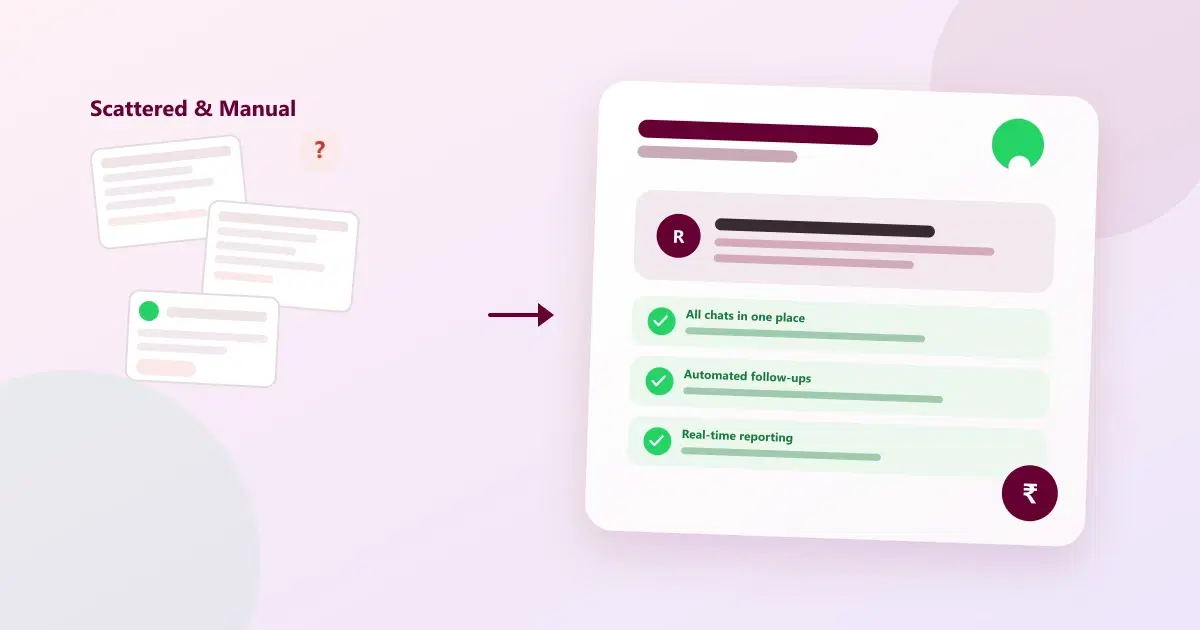
Still managing customers on WhatsApp chats and Excel spreadsheets? See the 10 clearest signs your business needs a small business CRM and WhatsApp automation — and what changes once it switches.
Almost every small business starts the same way: a WhatsApp number for customers, and a spreadsheet for everything else — leads, bookings, follow-ups, sometimes even billing. It works, because at a small scale, one or two people can hold the whole system in their heads. The problem is that this setup doesn't fail all at once. It fails quietly, one dropped follow-up and one overwritten spreadsheet cell at a time, until the business is losing customers it never even knew it had.
This guide covers the 10 clearest signs a business has outgrown WhatsApp and Excel, how a small business CRM and WhatsApp business automation fix the underlying problem, and what actually changes once a proper lead tracking and customer data management system replaces a spreadsheet.
Why WhatsApp and Excel Work for a Small Business — At First
WhatsApp and Excel aren't bad tools — they're free, familiar, and require no setup, which is exactly why almost every small business starts with them as a default customer database. The trouble isn't the tools themselves, it's that neither was built to be a real system of record for a growing customer base. WhatsApp has no shared memory beyond a single chat thread, and a spreadsheet has no protection against two people editing the same row at once. Both work fine with a handful of customers and one person managing them. Past that point, the cracks start to show.
CRM vs Excel: What's Actually Different
A spreadsheet stores rows of data; a CRM (customer relationship management) system stores relationships — full customer history, conversation logs, and automated actions, all connected to one record instead of scattered across files. The core difference is automation and shared access: a CRM can trigger a reminder or a follow-up on its own and let an entire team see the same up-to-date customer record at once, while a spreadsheet only does exactly what someone manually types into it, one cell at a time.
Quick Reference — The 10 Signs at a Glance
| # | Sign | What it signals |
|---|---|---|
| 1 | Customer info is duplicated across spreadsheets | No single source of truth |
| 2 | Leads live in individual staff members' chats | Business data trapped on personal phones |
| 3 | No one can say how many leads came in this week | No real lead tracking, only guesswork |
| 4 | Follow-ups depend on someone remembering | No automation, so leads go cold |
| 5 | Spreadsheet edits get overwritten | No safe way for multiple people to work at once |
| 6 | No one can see a customer's full history | Fragmented, not centralised, customer data |
| 7 | Reporting takes hours of copy-pasting | Manual work that doesn't scale |
| 8 | A spreadsheet has been lost or corrupted | No backup, no recovery plan |
| 9 | New staff take weeks to learn "the system" | Knowledge lives in people's heads, not the tool |
| 10 | The same message is sent one by one, manually | No WhatsApp business automation |
Top 10 Signs Your Business Has Outgrown WhatsApp and Excel
1. Customer Information Is Duplicated Across Spreadsheets
One spreadsheet for leads, another for bookings, maybe a third someone started "temporarily" and never merged back. When a customer's phone number lives in three different files instead of one central customer database, updating it means remembering to change it in all three — and it rarely happens consistently.
2. Leads Live in Individual Staff Members' WhatsApp Chats
If a customer only exists in one staff member's personal WhatsApp, the business has no real record of that relationship — and no actual lead tracking system behind it. When that staff member is busy, on leave, or leaves the company, the conversation history — and often the customer — goes with them.
3. No One Can Say How Many Leads Came In This Week
Ask a simple question — how many enquiries did we get this week, and how many turned into sales — and the honest answer is often "we'd have to check." Without a shared, structured record, even basic lead tracking and reporting becomes a manual investigation.
4. Follow-Ups Depend on Someone Remembering to Do Them
A lead that isn't followed up on doesn't announce itself — it just quietly goes cold. When follow-up is a personal habit rather than an automated system, it's only as reliable as the busiest day of the busiest staff member.
5. Spreadsheet Edits Get Overwritten by Someone Else
Two people editing the same spreadsheet at once is a common way to lose data — one person's update silently disappears under someone else's save. As more people touch the same file, this stops being rare and starts being routine, and it's a clear sign a shared CRM has become necessary.
6. No One Can See a Customer's Full History in One Place
A returning customer's past visits, preferences, and past issues should be visible instantly — not scattered across old chat threads and a spreadsheet that may or may not be up to date. Proper customer data management means every interaction starts with context, not from zero.
7. Reporting Takes Hours of Manual Copy-Pasting
If preparing a simple monthly summary means several hours pulling numbers from different sheets and chats, that time is being spent on data assembly instead of decisions. It also means reporting happens rarely, because it's expensive to do.
8. A Spreadsheet Has Been Lost, Corrupted, or Accidentally Deleted
If this has already happened once — a file overwritten, a laptop lost, an accidental "select all, delete" — it's a warning sign, not a one-off bad day. A single spreadsheet with no backup is a single point of failure for the entire business's customer data.
9. New Staff Take Weeks to Learn "The System"
When the real system is a collection of habits, shortcuts, and tribal knowledge rather than a documented CRM, training a new hire takes far longer than it should — and depends heavily on who happens to be training them.
10. The Same Message Gets Sent to Every Customer, One by One
Typing out the same appointment reminder or offer to dozens of customers individually is one of the clearest signs a business needs WhatsApp business automation — this is exactly the kind of repetitive task automation exists to remove.
What Outgrowing It Actually Looks Like
Before: A customer messages asking about their last order. The staff member scrolls back through old chats, checks a spreadsheet that may be out of date, and eventually finds an answer — or doesn't, and asks the customer to repeat information they've already given before.
After: The same question is answered in seconds, because the customer's full history — past orders, past conversations, past preferences — is attached to their record in one centralised customer database, visible to whoever is handling the conversation.
The shift isn't about abandoning WhatsApp — customers still expect to reach a business there. It's about the business having a real small business CRM behind that conversation, instead of the conversation being the entire system.
How Cleomitra Helps: Small Business CRM with WhatsApp Automation
Cleomitra is a small business CRM built specifically for the transition away from scattered spreadsheets and personal WhatsApp chats, without asking customers to change how they reach the business:
- One CRM record per customer, replacing scattered spreadsheet rows with real customer data management
- A shared WhatsApp inbox, so conversations aren't stuck on individual phones
- Automated follow-ups and reminders, so nothing depends on memory
- Built-in lead tracking and reporting, so lead and conversion numbers don't require manual copy-pasting
- WhatsApp business automation for campaigns, for sending the same message to many customers without typing it out individually
- India-first pricing, with plans starting from around ₹999/month, so this is realistic for a business making this switch for the first time, not just larger companies
Related Guides
Frequently Asked Questions
What are the first signs a business has outgrown WhatsApp and Excel?
The earliest signs are usually duplicated customer information across spreadsheets, leads sitting in individual staff members' personal WhatsApp chats, and follow-ups depending on someone remembering to do them rather than an automated lead tracking system.
What is the difference between using Excel and a CRM for customer management?
Excel stores data in static rows that someone has to update manually, while a CRM stores full customer relationships — conversation history, automated follow-ups, and shared team access — all tied to one live record. A CRM acts on customer data automatically; a spreadsheet only does what's typed into it.
When should a small business switch from Excel to a CRM?
A small business should consider switching once spreadsheet edits start getting lost or overwritten, reporting takes hours of manual work, or customer follow-ups depend entirely on one person remembering — these are the clearest signals that a dedicated CRM will save more time than it costs to set up.
Is it a problem to run a small business on WhatsApp and Excel?
Not at a small scale — both tools work fine for one or two people managing a handful of customers. The problems appear as the customer base and team grow, since neither tool was designed to be a shared, reliable customer data management system.
How do I know if my business needs a CRM instead of spreadsheets?
If reporting takes hours of manual work, customer history is scattered across chats and files, or a spreadsheet has already been lost or overwritten, those are strong signs a small business CRM would remove real, recurring friction rather than add unnecessary complexity.
Can a business switch to a CRM without changing how customers reach it on WhatsApp?
Yes. A CRM connected to WhatsApp keeps the same number and conversation customers already use — the change happens behind the scenes, in how the business tracks and manages that conversation with WhatsApp business automation, not in how customers contact it.
What's the risk of continuing to rely only on WhatsApp and Excel?
The main risks are lost customer history when a staff member leaves, data loss from an unbacked-up spreadsheet, and leads quietly going cold because follow-up depends entirely on someone remembering — all of which get worse, not better, as the business grows.
How much does it cost to move from Excel to a proper CRM in India?
Pricing varies by platform, but small business CRM plans built for growing Indian businesses typically start from a few hundred rupees a month — for example, Cleomitra's plans start from around ₹999/month, which is well within reach for a business making this switch for the first time.
Will moving off spreadsheets slow my team down while they adjust?
There's usually a short adjustment period, but it's typically shorter than expected, since most CRM platforms are built to feel familiar for anyone used to WhatsApp and basic spreadsheets. The time saved on manual reporting and follow-up tracking tends to offset the adjustment quickly.
