

WhatsApp Coexistence Explained: Use WhatsApp Business App and CRM Together
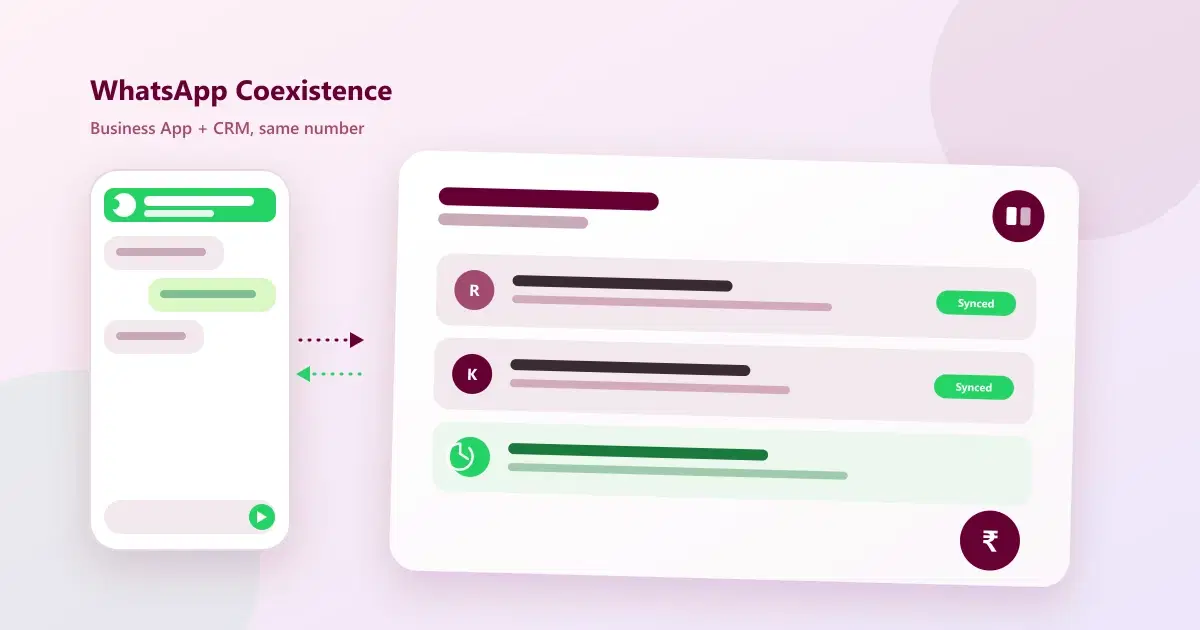
What WhatsApp Coexistence actually is, how it lets you run the WhatsApp Business App and a CRM on the same number at once, and how to set it up without losing your existing number or chat history.
Most growing businesses hit the same wall: the free WhatsApp Business App is where the team already chats with customers, but it has no CRM, no automation, and no way to plug into other tools. Moving fully to the WhatsApp Business API solves that, but means losing the simple app the team is used to. WhatsApp Coexistence removes that trade-off — this guide explains what it is, how it actually works, and how to run the WhatsApp Business App and a CRM together on the same number.
What Is WhatsApp Coexistence?
WhatsApp Coexistence is a feature from Meta that lets a business use the WhatsApp Business App and the WhatsApp Business API on the same phone number at the same time. Before coexistence existed, moving to the API meant the number could no longer be used inside the regular Business App — the team lost the app interface they were used to. Coexistence keeps the app active for day-to-day chatting while the API runs in parallel for CRM, automation, and reporting.
Why Use WhatsApp Business App and a CRM Together
Businesses don't ask for this because they dislike the Business App — they ask for it because the app alone can't do what a growing team needs:
- No shared record of conversations — chats live on one phone, so nobody else can see history if that team member is out or leaves
- No automation — every reminder, offer, and follow-up has to be typed and sent manually
- No reporting — there's no way to see how many leads came from WhatsApp or which messages actually led to a sale
- No integration — the app can't connect to a booking calendar, billing tool, or CRM on its own
Coexistence solves this without forcing the team to abandon the interface they already know — the CRM handles records, automation, and reporting in the background while staff can still open the familiar Business App when they want to.
How WhatsApp Coexistence Works
In practical terms, coexistence mode splits responsibilities across the same WhatsApp number:
- The WhatsApp Business App stays installed on a phone for manual, one-to-one conversations exactly as before
- A connected CRM platform (via the WhatsApp Business API) simultaneously logs every conversation against the right contact record
- Automated messages — reminders, follow-ups, campaign broadcasts — go out through the CRM side, without anyone touching the phone
- Both sides show the same conversation history, so a message sent from the app or from the CRM appears in one continuous thread
The result is one WhatsApp number that behaves like a full CRM channel for automation and reporting, while still feeling like a normal chat app for the person actually typing replies.
Business App vs Business API vs Coexistence
| Feature | Business App Only | Business API Only | Coexistence |
|---|---|---|---|
| Manual chat from a phone | Yes | No | Yes |
| CRM and contact records | No | Yes | Yes |
| Automated reminders/broadcasts | No | Yes | Yes |
| Team can keep using a familiar app | Yes | No | Yes |
| Reporting and analytics | No | Yes | Yes |
| Setup effort | None | Moderate | Moderate |
How to Set Up WhatsApp Coexistence with a CRM
Setting up coexistence involves connecting your existing WhatsApp number to a CRM platform that supports coexistence mode, rather than migrating away from the app entirely. With Cleomitra, this looks like:
- Connect your existing WhatsApp number — no need to give up the number the team and customers already know
- Keep the Business App installed for staff who want to reply manually from a phone
- Let the CRM handle the rest — automated reminders, broadcast campaigns, and contact records run through Cleomitra in the background
- India-first pricing, with plans starting from around ₹999/month, so coexistence is realistic for small and mid-sized businesses, not just enterprise accounts
Because both sides share the same conversation thread, there's no awkward transition period where staff have to learn a completely new interface before the switch pays off.
Limitations and Things to Know
- Only one device runs the Business App at a time in coexistence mode — it isn't meant for large multi-agent call centres, which are better served by API-only setups with a team inbox
- Message templates still apply for API-side automated messages sent outside the standard customer-service window, same as any Business API setup
- Requires a supported CRM/BSP — coexistence has to be enabled through a platform that explicitly supports it, not every WhatsApp tool does
- Best suited to small and growing teams who still want a human answering some chats directly, rather than a fully automated support desk
Related Guides
Frequently Asked Questions
What is WhatsApp Coexistence?
WhatsApp Coexistence is a Meta feature that lets a business use the free WhatsApp Business App and the WhatsApp Business API on the same phone number at the same time, so staff can still chat manually from the app while a CRM handles automation, records, and reporting in the background.
Can I use WhatsApp Coexistence without losing my existing number?
Yes. Coexistence is designed to connect your existing WhatsApp number to a CRM platform without requiring a new number or losing your existing chat history and contacts.
Do I still need the WhatsApp Business App if I set up Coexistence?
You can keep using it, but you don't have to. Coexistence lets staff who prefer the familiar app keep using it for manual chats, while automated messages and CRM records run through the connected platform without anyone touching the phone.
Is WhatsApp Coexistence free?
The WhatsApp Business App itself is free, but connecting coexistence mode requires a CRM or BSP platform that supports it, which typically comes with a monthly subscription — plans with providers like Cleomitra start from around ₹999/month.
Is WhatsApp Coexistence suitable for a large support team?
Coexistence works best for small and growing teams that still want a person replying manually from the app sometimes. Larger, multi-agent support teams are usually better served by a full Business API setup with a shared team inbox instead.
What is the difference between WhatsApp Coexistence and the WhatsApp Business API alone?
The Business API alone removes the Business App entirely — all messaging goes through connected software with no manual app access. Coexistence keeps the Business App usable in parallel with the API, so both manual and automated messaging work on the same number.
Do WhatsApp message template rules still apply in Coexistence mode?
Yes. Automated messages sent through the CRM/API side of a coexistence setup still follow standard WhatsApp Business API rules around approved templates and the customer-service messaging window, the same as any Business API integration.
