

Top 10 WhatsApp Tasks Businesses Should Automate in 2026
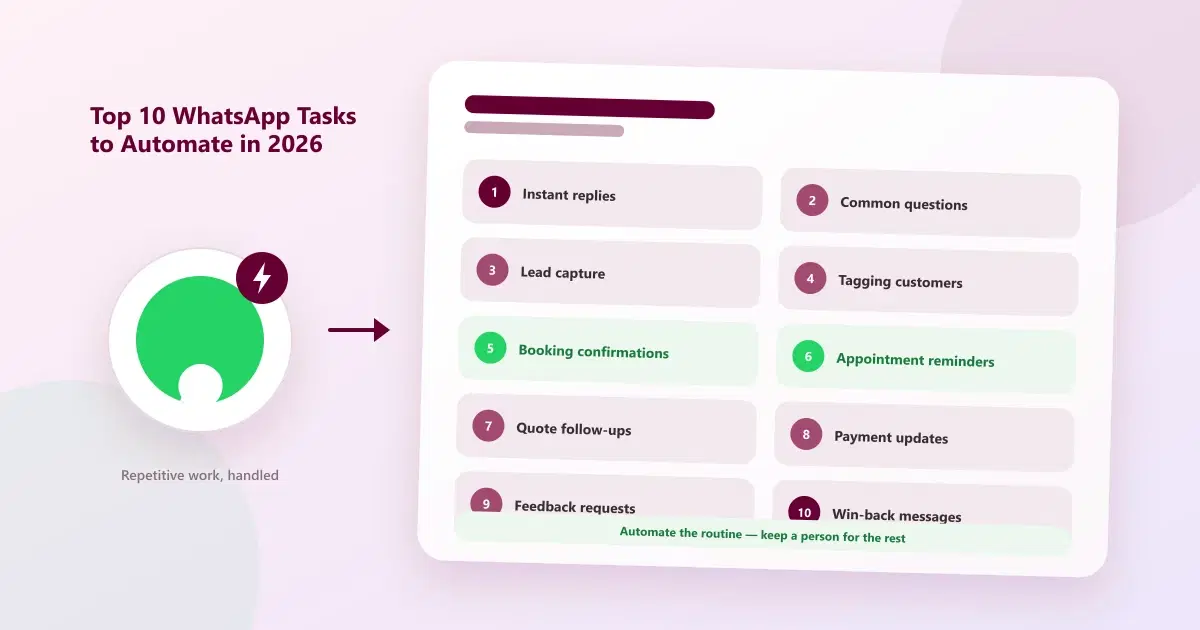
Discover 10 WhatsApp tasks businesses can automate, from customer replies and appointment reminders to lead follow-ups and re-engagement campaigns.
Most businesses do not have a messaging problem — they have a repetition problem. The same greeting, the same price question, the same appointment reminder, typed out again and again by someone who has better things to do. WhatsApp automation exists to remove exactly that work. Whether you want to automate WhatsApp messages with a simple auto-reply or build full workflows, the starting point is the same: know which tasks are worth handing to software.
This guide ranks the top 10 WhatsApp tasks businesses should automate in 2026, explains what each one looks like in practice, and is just as clear about what you should leave to a person.
Quick Answer: Which WhatsApp Tasks Should You Automate?
Automate the repetitive, predictable tasks: instant replies, common questions, lead capture, customer tagging, booking confirmations, reminders, follow-ups, payment updates, feedback requests, and win-back messages. Keep sensitive, complex, or emotional conversations with a person, and follow WhatsApp's opt-in and template rules.
What Makes a Task Worth Automating?
A good candidate for business WhatsApp automation passes three simple tests:
- It repeats. The same message or action happens many times a week.
- It is predictable. A clear trigger — a new enquiry, a booking, a date — starts it, and the right response is almost always the same.
- It is low-risk. A slightly generic message will not upset the customer or cause harm.
If a task fails any of these, a person should probably handle it. The ten tasks below all pass.
The 10 Tasks at a Glance
| # | Task | Typical trigger | What it removes |
|---|---|---|---|
| 1 | Instant replies to new enquiries | A customer's first message | Slow first response |
| 2 | Answering common questions | A question about hours, location, or services | Repeated typing |
| 3 | Capturing enquiries as leads | A new conversation | Leads that exist only in a chat |
| 4 | Tagging and organising customers | An interest, keyword, or action | Manual sorting |
| 5 | Booking confirmations | A confirmed appointment | Manual confirmations |
| 6 | Appointment reminders | A set time before the visit | No-shows from forgetting |
| 7 | Enquiry and quote follow-ups | No reply after a set period | Leads going quiet |
| 8 | Order, payment, and invoice updates | An order, payment, or due date | Chasing and status calls |
| 9 | Feedback and review requests | A completed visit or order | Missed feedback |
| 10 | Win-back and occasion messages | Inactivity, a birthday, or a festival | Forgotten customers |
Top 10 WhatsApp Tasks Businesses Should Automate in 2026
1. Instant Replies to New Enquiries
What it is: a WhatsApp auto-reply sent the moment a customer messages, such as "Thanks for reaching out — we'll reply shortly."
Why automate it: customers often message several businesses at once, and the first useful reply tends to win attention. An instant acknowledgment keeps them engaged until a person is free.
Example: a clinic sends an automatic reply after hours with its opening time and a promise to respond first thing in the morning.
2. Answering Common Questions
What it is: automatic answers to repeated questions, through quick replies or a simple WhatsApp chatbot — hours, location, services, how to book, what to bring.
Why automate it: these questions make up a large share of daily messages, and the answers rarely change. Automating them frees staff for conversations that need judgement.
Example: a salon replies to "Do you do bridal makeup?" with a short description and a booking link.
3. Capturing Enquiries as Leads
What it is: every new conversation is logged as a customer record automatically, with the source and the first message.
Why automate it: an enquiry that exists only in a chat thread is easy to lose. A record makes it visible and trackable. For the problems this prevents, see the top 10 problems businesses face when managing leads on WhatsApp.
Example: a real estate team sees every new enquiry in one list, with the property they asked about.
4. Tagging and Organising Customers
What it is: applying labels such as interest, stage, or behaviour automatically, based on what the customer says or does.
Why automate it: consistent tags make it possible to find and message the right group later. Doing it by hand tends to be skipped on busy days. The full approach is covered in how to organize WhatsApp customers.
Example: a retailer tags anyone who asks about a festive collection, so they hear about it first next season.
5. Booking Confirmations
What it is: an automatic message confirming the date, time, service, and location as soon as an appointment is made.
Why automate it: customers get reassurance immediately, and staff stop writing the same confirmation repeatedly.
Example: "Hi Priya, your facial is confirmed for Saturday at 11 AM at our Anna Nagar branch."
6. Appointment Reminders
What it is: scheduled reminders before an appointment, with an easy way to confirm or reschedule.
Why automate it: forgetting is one of the most common reasons appointments are missed, and reminders are the most predictable task there is. A full timing guide is in how to reduce no-shows with automated WhatsApp reminders.
Example: a reminder the day before, and a short one a few hours ahead.
7. Enquiry and Quote Follow-Ups
What it is: WhatsApp follow-up automation: an automatic nudge when a customer has not replied after a set period — for example, three days after a quote.
Why automate it: most leads do not decide on the first message, and follow-up is the step most often forgotten. A scheduled nudge makes it consistent.
Example: "Hi Rahul, just checking whether you had any questions about the quote we sent."
8. Order, Payment, and Invoice Updates
What it is: automatic messages for order status, payment received, invoices, and gentle payment reminders.
Why automate it: customers want status updates without having to ask, and staff avoid chasing payments one message at a time.
Example: a service business sends the invoice on WhatsApp right after the visit, followed by a polite reminder if it is still unpaid after the due date.
9. Feedback and Review Requests
What it is: a short message after a visit or order asking how it went, and sometimes inviting a review.
Why automate it: timing matters — a request sent while the experience is fresh is more likely to get a reply, and it only happens consistently if it is automatic.
Example: a message a few hours after an appointment asking for a quick rating.
10. Win-Back and Occasion Messages
What it is: messages triggered by inactivity, a birthday, or a festival, designed to bring customers back.
Why automate it: these moments are easy to forget and easy to schedule. Reconnecting with past customers is usually simpler than finding new ones; the reasons customers drift away are covered in why businesses lose repeat customers.
Example: a gentle "we haven't seen you in a while" message after a set gap, with a relevant offer.
What Not to Automate on WhatsApp
Automation works best when it handles routine steps and hands over to a person at the right moment. These are better left to people:
| Automate | Keep with a person |
|---|---|
| Greetings and acknowledgments | Complaints and upset customers |
| Standard questions and answers | Negotiation and custom quotes |
| Confirmations and reminders | Sensitive or personal situations |
| Routine follow-ups | Questions that need judgement or an exception |
| Status and payment updates | Anything where a mistake would be costly |
A useful rule: if a customer would be annoyed to learn a machine sent the message, a person should send it. Make it easy for any customer to reach a human at any point.
WhatsApp Automation Rules to Follow
Automation does not change WhatsApp's rules, and ignoring them puts your messaging at risk:
- Get opt-in. Message people who have agreed to hear from you, and make it easy to opt out.
- Use approved templates outside the customer-service window. Business-initiated messages sent outside the 24-hour window generally need templates approved by Meta.
- Do not over-message. Too many automated messages lead to blocks and complaints, which can hurt your sending reputation.
- Stay accurate. Automated messages should always reflect current prices, hours, and availability.
For how the underlying connection works, see what the WhatsApp Business API is and how it works.
How to Start Automating WhatsApp
The best WhatsApp automation for business starts small and grows with what works.
- List your repetitive messages. Note what your team types most often.
- Start with two or three. Instant replies, reminders, and follow-ups are common first choices.
- Write each message in plain, friendly language and keep it short.
- Add a way to reach a person in every automated flow.
- Review the results. Check replies and complaints, then refine the wording and timing.
- Expand gradually once the first automations work well.
How Cleomitra Helps With WhatsApp Automation
Cleomitra is built around automating the steps above. Based on its plans and feature pages:
- Automation flows: Engage Starter includes one ready-made Autopilot flow, and Engage Growth adds an unlimited flow builder.
- Campaigns: manual campaigns on Engage Starter, with scheduled and recurring campaigns from Engage Growth.
- Customer records and follow-ups: CRM and a shared inbox from Engage Growth.
- Appointments and billing: Service OS adds appointments and booking, plus POS and GST invoices, which the booking and payment tasks above build on.
Plans and features change, so check the current Cleomitra pricing before choosing. If you are comparing providers, see this guide to the best WhatsApp automation service in India.
Related Guides
- How to Reduce No-Shows at Your Salon or Clinic Using Automated WhatsApp Reminders
- How to Organize WhatsApp Customers: Tags, Segments, Records & Follow-Ups
- Automate Salon Offers & Customer Follow-Ups
- WhatsApp Business App vs WhatsApp Business API: What's the Difference?
Ready to Automate the Repetitive Work?
See how Cleomitra can automate your WhatsApp replies, reminders, and follow-ups.
Frequently Asked Questions
What WhatsApp tasks should a business automate first?
Start with the simplest, highest-volume tasks: instant replies to new enquiries, answers to common questions, and appointment reminders. They repeat often, follow a clear trigger, and carry little risk, so they save time quickly. Add follow-ups, payment updates, and win-back messages once the first automations work well.
Can WhatsApp messages be automated?
Yes. Businesses can automate replies, reminders, confirmations, and follow-ups, within WhatsApp's rules. The WhatsApp Business app offers basic tools like greeting and away messages, while broader automation, such as triggered workflows and scheduled campaigns, is usually set up through a platform connected to the WhatsApp Business API.
Is WhatsApp automation allowed?
Yes, as long as you follow WhatsApp's policies. That means getting customer opt-in, using approved message templates for business-initiated messages outside the 24-hour customer-service window, and avoiding spam-like volumes. Automation changes how messages are sent, not the rules about who you may message and when.
What should not be automated on WhatsApp?
Keep complaints, negotiations, sensitive situations, and questions that need judgement with a person. A useful test is whether the customer would be upset to learn a machine sent the message. Always make it easy for customers to reach a real person from any automated message or flow.
What is the difference between a WhatsApp chatbot and WhatsApp automation?
A chatbot holds a conversation, answering questions in a back-and-forth. WhatsApp automation is broader: it includes triggered messages like reminders, confirmations, and follow-ups that fire from an event or a date, with no conversation needed. Many businesses use both together, with a person available to take over.
Do customers mind automated WhatsApp messages?
Usually not when the messages are useful, timely, and relevant, such as confirmations, reminders, and order updates. Problems arise when messages are generic, too frequent, or hard to opt out of. Keep them short, personal where possible, and always offer a simple way to reach a person or stop receiving them.
Do I need the WhatsApp Business API to automate WhatsApp?
For basic needs, the free WhatsApp Business app offers greeting messages, away messages, and quick replies. For triggered workflows, reminders at scale, CRM connections, and scheduled campaigns, you generally need a platform connected through the WhatsApp Business API. Which one fits depends on how many customers and workflows you manage.
How do I start automating WhatsApp for my business?
List the messages your team types most often, then automate two or three, such as instant replies, reminders, and follow-ups. Write each in plain, friendly language, add a way to reach a person, and review replies and complaints after a few weeks. Expand to more tasks gradually once the first ones work well.
