

How to Reduce No-Shows at Your Salon or Clinic Using Automated WhatsApp Reminders
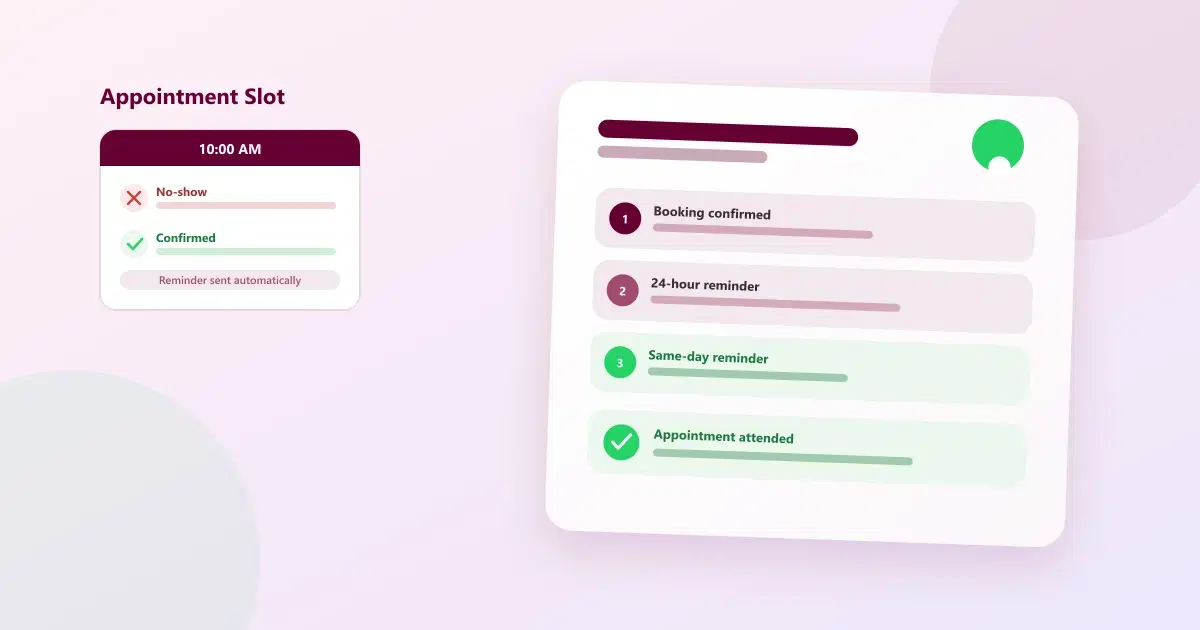
Appointment no-shows drain revenue at salons and clinics. See how automated WhatsApp reminders — timed and worded well — reduce missed appointments.
A customer books an appointment. The slot is reserved on the calendar. Staff prepare for it — a stylist blocks the time, a clinic sets aside a room, a therapist plans the session. Then, at the scheduled time, nobody shows up.
This is one of the most common and most underestimated problems in appointment-based businesses. A single missed appointment doesn't just cost one booking — it creates a chain of small losses that add up over a month:
- An empty slot that could have gone to another customer
- Lost revenue for that time period, with no way to recover it
- Wasted staff capacity — a stylist, therapist, or doctor was ready and waiting
- Longer waiting lists for other customers who couldn't get that slot
- Manual follow-up work for staff who now have to call and rebook
The good news is that most no-shows aren't a sign customers don't care — they're usually a communication gap. This guide looks at why no-shows happen, and how WhatsApp appointment reminders — used well — close that gap.
Why Do Salon and Clinic No-Shows Happen?
Before fixing the problem, it helps to understand where it actually comes from. In most salons and clinics, no-shows trace back to one of these seven causes:
- Customers simply forget. Life gets busy, and an appointment booked weeks ago slips out of memory.
- The appointment was booked too far in advance. The longer the gap between booking and the visit, the higher the chance it gets forgotten or deprioritised.
- The customer never received a confirmation. Without confirmation, there's no reassurance the booking actually went through.
- The customer's plans changed, and there was no easy way to let the business know.
- There was no easy way to reschedule. If rescheduling means a phone call during business hours, many customers just skip the appointment instead.
- The reminder was sent too late — or not sent at all — leaving no window to act on it.
- Communication was inconsistent — sometimes a call, sometimes nothing, with no reliable pattern the customer could count on.
Almost every one of these causes is fixable with better timing and a channel customers actually pay attention to — which is exactly where WhatsApp fits in.
How WhatsApp Appointment Reminders Reduce No-Shows
WhatsApp works well for appointment reminders for a simple reason: it's where most customers already are, and a message there is far more likely to be seen than an SMS or an email sitting unread. A well-structured WhatsApp reminder flow addresses several of the causes above at once:
- Immediate booking confirmation — the customer knows right away that their slot is secured
- A reminder before the appointment — timed to when it's actually useful, not just once at booking
- A notification that's easy to notice — WhatsApp messages are rarely missed the way an email in a crowded inbox can be
- An easy way to confirm — a quick reply instead of a phone call
- An easy way to reschedule — so a change of plans doesn't automatically become a no-show
- Consistent communication — every customer gets the same reliable sequence, regardless of how busy the front desk is
It's worth being direct about one thing: no-show rates vary widely by business, service type, and how reminders are actually implemented, so this guide won't quote a specific percentage improvement. What's consistently true is that a timely, easy-to-act-on reminder removes several of the most common reasons customers miss appointments in the first place.
When Should You Send WhatsApp Appointment Reminders?
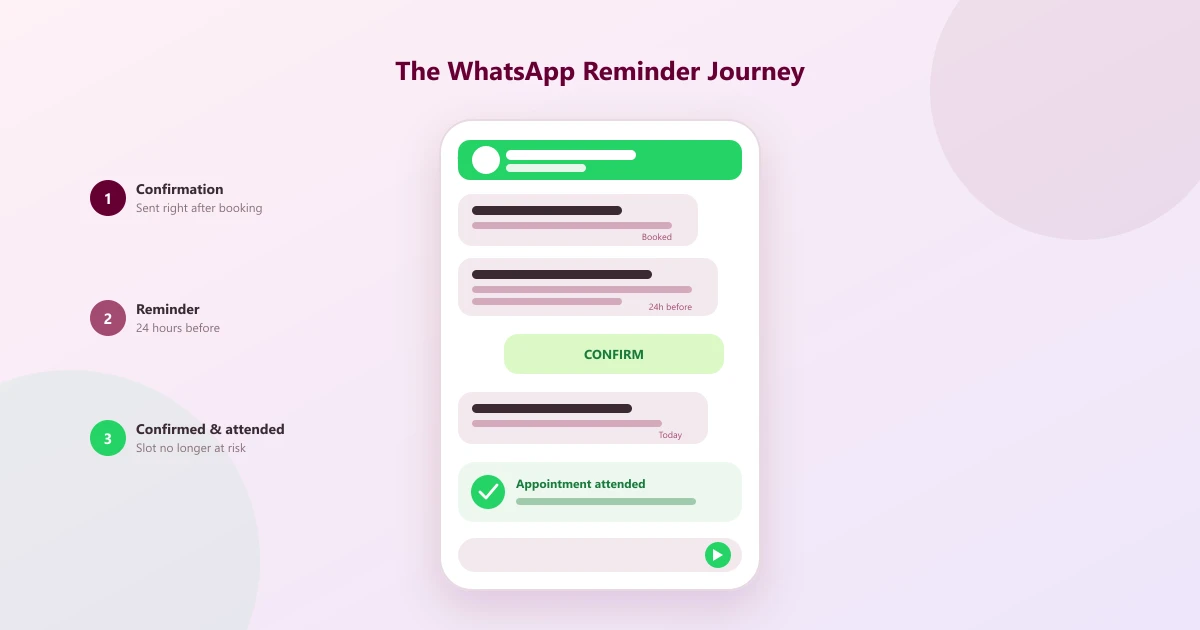
Timing matters more than volume — one well-timed reminder is worth more than several poorly-timed ones. A practical sequence that works for most salons and clinics looks like this:
Immediately after booking:
"Your appointment has been booked for {{date}} at {{time}}. We'll send you a reminder closer to the date."
24 hours before the appointment:
"Reminder: Your appointment is tomorrow at {{time}}. Reply CONFIRM to confirm, or let us know if you need to reschedule."
2–3 hours before the appointment:
"Your appointment is coming up today at {{time}}. We look forward to seeing you."
The exact timing can and should be adjusted based on the business — a hair colour appointment booked a month out may benefit from an extra reminder a week ahead, while a same-day walk-in confirmation doesn't need a 24-hour notice at all. The right cadence depends on the appointment type, how far in advance it was booked, and what customers themselves respond well to.
What Should an Automated WhatsApp Appointment Reminder Include?
A good reminder message answers every question a customer might have without them needing to ask. At minimum, it should include:
- Customer name — so it feels personal, not like a mass broadcast
- Appointment date
- Appointment time
- Service or appointment type — so there's no confusion about what was booked
- Location or branch — especially useful for multi-branch businesses
- A confirmation option — a simple reply the customer can send
- A rescheduling option — so plan changes don't default to a no-show
- Contact information — in case the customer has a question
Here's a short example that covers the essentials without overloading the message with variables:
"Hi {{first_name}}, this is a reminder that your appointment at {{business_name}} is scheduled for {{date}} at {{time}}.
Please reply CONFIRM to confirm your appointment, or contact us if you'd like to reschedule."
Keeping the message short and using only a few variables makes it easy to read on a phone screen and easy to act on immediately.
Manual vs Automated Appointment Reminders
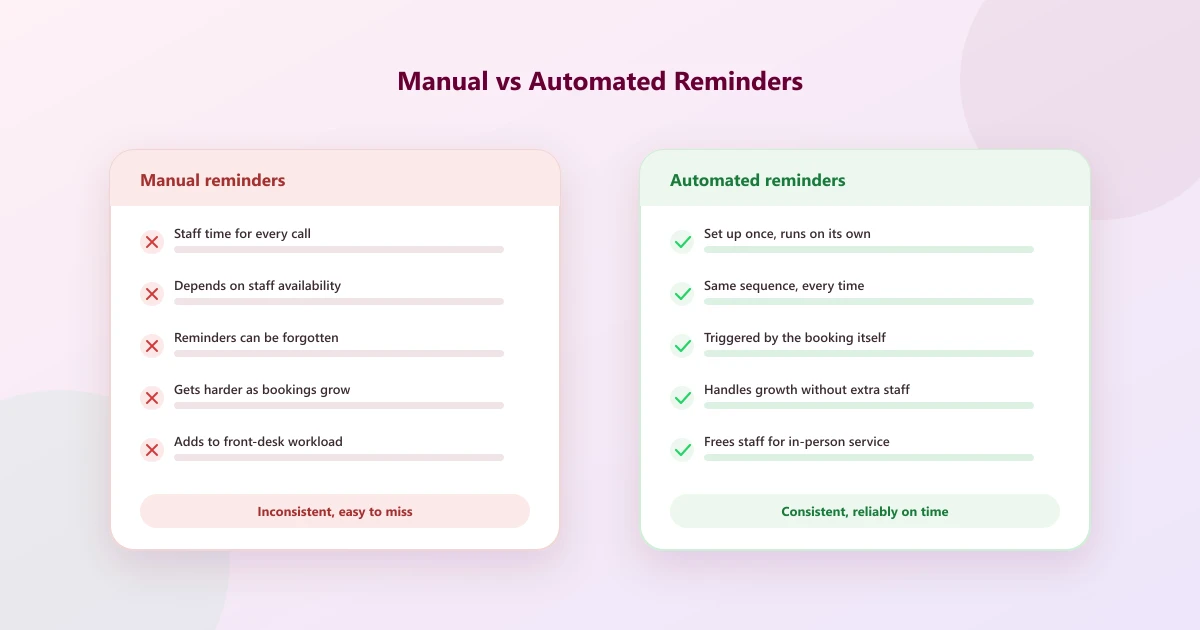
| Factor | Manual Reminders | Automated Reminders |
|---|---|---|
| Time required | Staff time for every call or message | Set up once, runs on its own |
| Consistency | Depends on staff availability that day | Same sequence, every time |
| Scalability | Gets harder as bookings grow | Handles high volumes without extra staff |
| Human error | Reminders can be forgotten or skipped | Triggered by the booking itself |
| Follow-up tracking | Often tracked in someone's memory or a notebook | Logged automatically against the customer record |
| Team workload | Adds to front-desk workload daily | Frees staff for in-person service |
| Customer communication | Inconsistent tone and timing | Predictable, professional, on-time |
How CRM and WhatsApp Automation Work Together
Appointment reminders work best when they're not a standalone task, but part of a connected flow. A typical sequence looks like this:
- Appointment booked
- Customer record created or updated
- Appointment information stored against that record
- Reminder scheduled based on the appointment time
- WhatsApp reminder sent automatically
- Customer confirms or requests to reschedule
- Customer attends the appointment
- Post-appointment follow-up sent
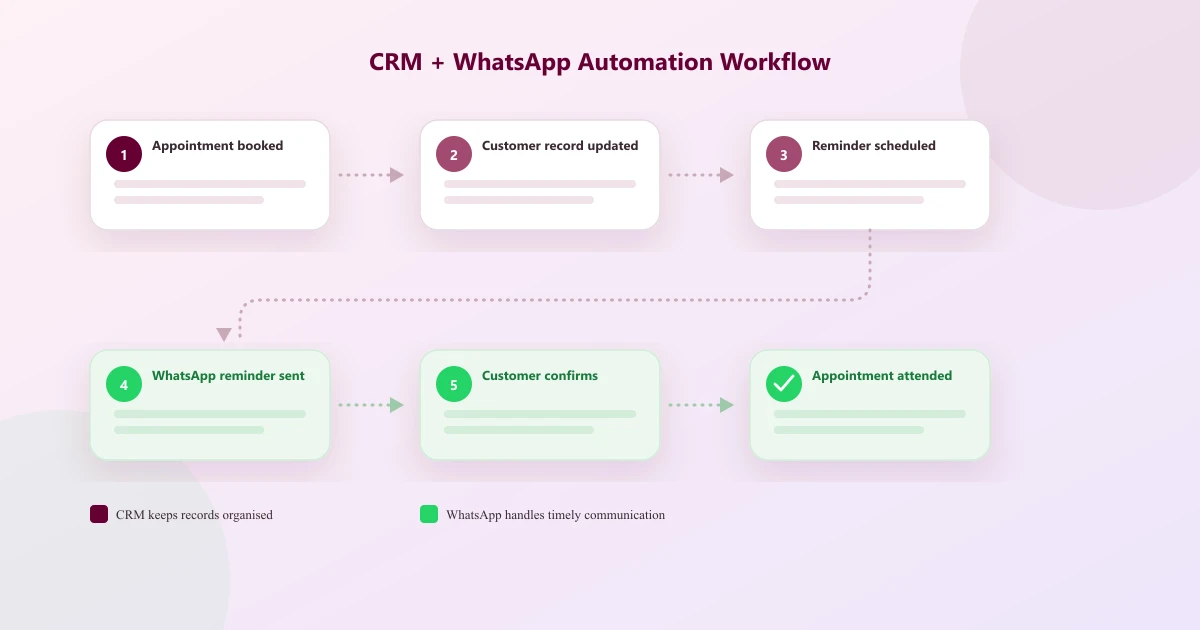
In this flow, the CRM is what keeps customer and appointment information organised and accurate, while WhatsApp automation is what handles the timely, consistent communication around it. Neither replaces the other — the CRM holds the information, and WhatsApp delivers it at the right moment.
Salon No-Show Example
Before: A customer books a haircut two weeks out. The receptionist makes a mental note to call the day before, but a busy afternoon means the call never happens. The customer forgets, and the slot goes empty.
After: The booking triggers an instant WhatsApp confirmation. A reminder goes out 24 hours before with a reply option. A shorter reminder arrives the morning of the appointment. The customer replies CONFIRM the night before, and shows up on time — no phone call required from staff at any point.
Clinic No-Show Example
Clinics face a similar pattern, often across a few different appointment types: initial consultations, follow-up visits, and routine treatment appointments.
Before: A patient books a follow-up visit a month ahead. With no reminder system, the appointment date passes without any prompt, and the patient misses it — not out of choice, but because it slipped their mind entirely.
After: The clinic's booking triggers a confirmation message, followed by a reminder the day before with a simple way to confirm or ask to reschedule. The patient replies to reschedule to a day that works better, and the slot is freed up for another patient instead of going to waste. (This guide focuses on appointment logistics only — it does not offer medical advice or address clinical treatment decisions.)
How Cleomitra Can Help
Reminder timing and message content matter most — but they're easier to manage with the right tools behind them. Cleomitra is a CRM and WhatsApp automation platform that supports this kind of workflow around a business's existing appointment process:
- CRM and customer management — keeping customer details and history in one place
- WhatsApp communication — sending confirmations, reminders, and updates from a single number
- Automated follow-ups — triggered by customer activity instead of manual tracking
- Customer tags — for segmenting communication by service type, branch, or visit history
- WhatsApp campaigns — for broader updates alongside individual reminders
- A shared team inbox — so any staff member can see and respond to a customer conversation
- Customer history — visible to staff so every interaction has context
Cleomitra is built to support the customer communication and follow-up side of this workflow — it works alongside a business's existing appointment process rather than replacing it.
Best Practices for Reducing Appointment No-Shows
- Confirm immediately after booking, so the customer knows the slot is secured
- Send reminders at useful intervals — not just once, and not so often it feels intrusive
- Keep reminders short — a customer should be able to read one in a few seconds
- Include complete appointment details so there's no need to ask a follow-up question
- Give customers a way to confirm with a simple reply, not a phone call
- Make rescheduling easy, so a change of plans doesn't default to a no-show
- Segment communication when needed — a first-time consultation reminder can differ from a routine follow-up
- Keep customer records updated so reminders go out with accurate details
- Track reminder performance — confirmation rates and reschedule requests show what's working
- Follow up after a missed appointment, rather than letting the customer disappear from the schedule entirely
Related Guides
- How WhatsApp Automation Helps Salons Book More Appointments
- WhatsApp Business API vs WhatsApp Business App for Salons
- WhatsApp Coexistence Explained: Use WhatsApp Business App and CRM Together
- Why Use a CRM for Your Salon?
- Top 10 Reasons WhatsApp Enquiries Don't Convert into Customers
- Top 10 Reasons Businesses Lose Repeat Customers—and How to Bring Them Back
Want to Automate Customer Follow-Ups and WhatsApp Communication?
See how Cleomitra can help your business manage customer conversations, automated follow-ups, and WhatsApp engagement from one platform.
Frequently Asked Questions
How can WhatsApp reminders reduce appointment no-shows?
WhatsApp reminders reduce no-shows by giving customers a timely, easy-to-notice prompt with a simple way to confirm or reschedule. This addresses the most common causes of no-shows — forgetting, uncertainty about the booking, and no easy way to change plans — without requiring a phone call.
What is the best time to send an appointment reminder?
Most businesses see good results sending a confirmation right after booking, a reminder 24 hours before the appointment, and a shorter reminder 2–3 hours before. The ideal timing can vary by appointment type and how far in advance it was booked, so it's worth adjusting based on what works for your customers.
How many reminders should I send before an appointment?
Two to three reminders is usually enough — one shortly after booking, one roughly a day before, and a final short reminder on the day itself. Sending too many reminders can feel intrusive, while too few increases the risk that the appointment gets forgotten.
Can WhatsApp automate appointment reminders?
Yes. Connecting WhatsApp to a CRM or automation platform lets reminders trigger automatically based on the appointment time, rather than relying on staff to remember and send each one manually. This is typically done through the WhatsApp Business API integrated with a CRM.
Can salons use WhatsApp reminders for customers?
Yes. Salons commonly use WhatsApp reminders to confirm bookings, remind customers ahead of colour or treatment appointments, and reduce empty chair time, since WhatsApp is a channel most salon customers already check regularly.
Can clinics use WhatsApp reminders for patients?
Yes. Clinics can use WhatsApp reminders for consultations, follow-up visits, and routine appointments to reduce missed visits. Reminders should stay focused on appointment logistics — date, time, and confirmation — rather than clinical advice.
What should an appointment reminder message include?
A good reminder includes the customer's name, the appointment date and time, the service or appointment type, the location if there are multiple branches, and a simple way to confirm or reschedule. Keeping it short and complete avoids follow-up questions.
Can automated reminders allow customers to reschedule?
Yes. Most WhatsApp reminder setups include a simple way to reply and request a reschedule, which the business can then follow up on. This turns a potential no-show into a rebooked appointment instead of an empty, wasted slot.
