

What Is WhatsApp Business API and How Does It Work?
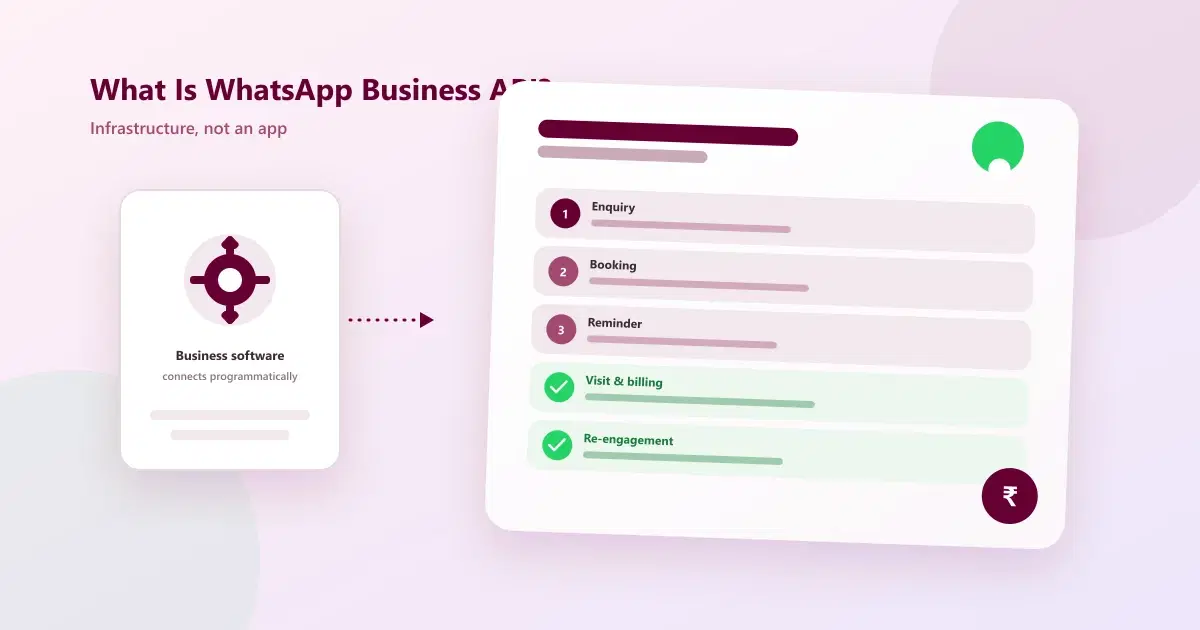
WhatsApp Business API lets approved software send and receive WhatsApp messages programmatically. Here's what it actually is, how it works, and what it doesn't mean.
Quick answer: WhatsApp Business Platform/API allows approved business software to communicate through WhatsApp programmatically. Instead of a person manually sending every message from a phone, software can trigger defined messages, manage workflows, connect customer information, and support team operations. The API itself is not a CRM — a business platform sits around it to turn messaging into a usable workflow.
What Is WhatsApp Business API?
WhatsApp Business Platform/API allows approved business software to communicate through WhatsApp programmatically. Instead of a person manually sending every message from a phone, software can trigger defined messages, manage workflows, connect customer information, and support team operations.
The WhatsApp API itself is not a CRM. A CRM or business platform sits around the API and turns the messaging capability into a usable workflow. On its own, the API is just a way for software to send and receive WhatsApp messages — it has no inbox, no customer records, and no reporting until something is built on top of it.
How Does WhatsApp Business API Work?
At a high level, the business has a WhatsApp Business setup, connects it through an eligible onboarding flow — most commonly Meta's own hosted WhatsApp Cloud API rather than a self-hosted on-premise setup — and then uses a software platform to send and receive messages according to Meta's rules. In practice, this happens in a series of steps:
Step 1: Meta Business Verification
The business verifies its identity with Meta and creates a WhatsApp Business Account (WABA) linked to that verified business. This is what allows the account to send messages at scale rather than through the limited personal-use tier.
Step 2: Connect Through a Platform or BSP
Most businesses connect through a software platform or Business Solution Provider (BSP) rather than building directly against Meta's raw API. This platform handles the technical connection and gives the business an actual interface to work in — a shared inbox, a CRM, or an automation builder.
Step 3: Messages Flow Both Ways
Once connected, incoming customer messages arrive through the platform and can be routed into a shared workflow — assigned to a staff member, logged against a customer record, or triggered into an automated reply. Outgoing messages follow the same connection in reverse.
Step 4: Template Approval for Business-Initiated Messages
Messages a business sends to start a new conversation — a reminder, a confirmation, a promotional message — usually need to use a pre-approved message template. Meta reviews templates before they can be used, which is part of how the platform limits unsolicited messaging.
Step 5: A CRM Layer Turns Messages Into a Workflow
This is where the API stops being just infrastructure. A CRM layer can connect the conversation to customer records, notes, follow-ups, appointments, or other processes — this is what turns raw WhatsApp API for business access into something a team can actually use day to day.
Types of WhatsApp Business API Messages
Meta's pricing and rules treat two categories of messages differently, and understanding the distinction explains a lot of how the API actually behaves in practice:
| Message Type | Who Starts It | Rules That Apply |
|---|---|---|
| Session / user-initiated | Customer messages the business first | Business can reply freely within the customer-service window (24 hours) |
| Template / business-initiated | Business starts the conversation | Must use a Meta-approved message template |
This distinction is exactly why a reminder sent to a customer who hasn't messaged recently needs a template, while replying to an active enquiry does not.
Common Use Cases for WhatsApp Business API
- Appointment confirmations and reminders for salons, clinics, and service businesses
- Order and delivery updates for e-commerce and retail businesses
- Enquiry and lead follow-up routed through a shared team inbox
- Post-purchase or post-visit feedback requests
- Account or transaction notifications, such as payment confirmations
What these have in common is a defined trigger — a booking, an order, a visit — that a connected platform can act on automatically, rather than someone remembering to send a message manually.
Why Businesses Use It
The main reason is operational scale. When a business has many enquiries, repeat customers, or staff members, manual messaging can become inconsistent. A structured platform can make it easier to assign conversations, trigger reminders, run follow-ups, and see what is happening.
For service businesses, the most valuable workflow may be simple: enquiry → booking → reminder → visit → billing → re-engagement.
What the API Does Not Mean
API access does not mean unlimited promotional messaging, automatic permission to contact anyone, or immunity from Meta's policies. Businesses still need to follow opt-in and template requirements and respect customer-service rules. Meta's current policy states that outside the 24-hour customer-service window, businesses may only send approved message templates.
The API is infrastructure. Your customer experience and compliance depend on how you use it.
WhatsApp API and Cleomitra
Cleomitra is positioned as the business layer around WhatsApp conversations. Its Engage plans focus on communication and follow-up, while Service OS adds appointments, billing, service and product management, and stock. Higher plans extend into memberships, multiple branches, and integrations.
This means the useful question is not "Does Cleomitra have WhatsApp API?" but "What business workflow does Cleomitra help me run around WhatsApp?"
Related Guides
- Cleomitra Pricing
- Cleomitra WhatsApp Platform Features
- What Is WhatsApp CRM?
- WhatsApp Business App vs WhatsApp Business API: What's the Difference?
See This Working Around Your Own WhatsApp Number
See the Cleomitra plans designed around customer conversations and service operations.
Frequently Asked Questions
Is WhatsApp Business API an app?
No. It is a software interface used by business systems — there's no standalone app to open. A CRM or business platform connects to it and gives the team an actual interface to work in.
Can I automate messages with WhatsApp Business API?
Yes, within Meta's messaging rules and applicable template requirements. Automated reminders, confirmations, and follow-ups are common use cases, but business-initiated messages outside the customer-service window need approved templates.
Do I still need a CRM if I have WhatsApp Business API?
If you want structured customer management and workflows, an API alone does not replace that layer. The API handles messaging infrastructure; a CRM turns it into assigned conversations, customer records, and follow-up tracking.
Does WhatsApp API pricing come only from Meta?
No. Platform providers may charge separately for the software layer connecting to the API, on top of Meta's own messaging charges. Always check both components before comparing costs across providers.
What is the difference between WhatsApp Cloud API and on-premise API?
WhatsApp Cloud API is Meta's own hosted version, so there's no server infrastructure to manage. The on-premise API requires the business (or its provider) to host and maintain the servers themselves. Most new setups now use the Cloud API for simpler onboarding and maintenance.
How long does WhatsApp Business API approval take?
Business verification and WhatsApp Business Account setup can take anywhere from a day to a couple of weeks, depending on how quickly Meta verifies the business and whether the provided documentation is complete. Message template approval is typically much faster, often within hours.
