
Top 10 WhatsApp CRM Workflows for Clinics in India (2026): Patient Enquiries, Appointments & Follow-Ups
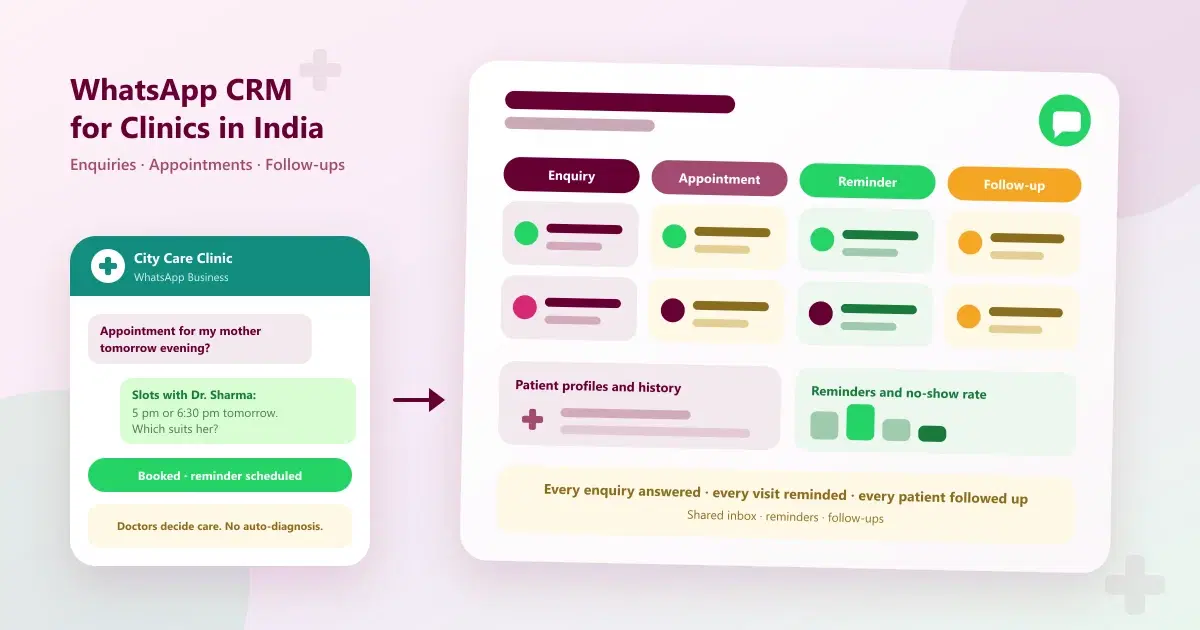
10 WhatsApp CRM workflows for clinics in India: manage patient enquiries, book appointments, send reminders and follow up patients with a shared inbox.
It is 10:40 pm, and a patient's son messages a clinic: "Is the doctor available tomorrow? My mother needs an appointment." The reception desk closed hours ago. The message sits unread until morning, by which time he has booked with another clinic that replied within minutes. The clinic paid for the ad, earned the enquiry, and lost the patient, all without anyone doing anything wrong.
This is how most clinics lose patients on WhatsApp: enquiries that wait, reminders that never go out, patients who disappear after one visit, and conversations scattered across phones. WhatsApp CRM for clinics brings all of it into one system, so every enquiry gets a reply, every appointment gets a reminder, and every patient gets followed up. This guide gives ten practical workflows for clinics in India, with sample messages, a reminder calendar and the numbers to track.
Quick Answer: How Do Clinics Use WhatsApp CRM?
Clinics use WhatsApp CRM to manage patient enquiries in a shared inbox, answer routine questions quickly, capture patient details, book doctor-wise appointments, send reminders, keep patient communication history, follow up after visits, recall patients for check-ups, and send opted-in updates, while doctors keep every clinical decision.
What Is WhatsApp CRM for Clinics?
WhatsApp CRM for clinics, also described as WhatsApp CRM for healthcare or clinic WhatsApp management software, connects the clinic's WhatsApp number to a shared inbox, patient profiles with visit and conversation history, appointment and reminder workflows, campaigns and reports. In other words, it is patient communication software in India built around the channel patients already use. Rather than conversations living on the receptionist's phone, each patient has a record and a next step. For the basics, see what WhatsApp CRM is, and for the wider automation picture, our clinic automation software guide.
Where Clinics Lose Patients on WhatsApp
| Clinic problem | What it costs | Workflow that fixes it |
|---|---|---|
| Missed patient enquiries | New patients choose another clinic | Shared WhatsApp inbox (workflow 1) |
| Delayed appointment responses | Slow replies lose bookings | Automated replies and capture (workflows 2 and 3) |
| Missed appointment reminders | No-shows and empty slots | WhatsApp reminders (workflows 5 and 6) |
| No organised communication history | Patients repeat themselves | Patient profiles and history (workflow 7) |
| Patients not returning for follow-ups | Incomplete treatment and lost revenue | Follow-up workflows (workflows 8 and 9) |
| Hard to communicate updates and offers | Patients miss camps, services and timing changes | Targeted WhatsApp campaigns (workflow 10) |
The Patient Journey on WhatsApp
| Stage | Goal | What the clinic does | Metric |
|---|---|---|---|
| Enquiry | Reply fast and capture the patient | Shared inbox, quick answers, capture details | First response time |
| Appointment | Get the visit booked | Offer doctor-wise slots and confirm | Enquiry-to-appointment rate |
| Reminder | Make sure the patient attends | Confirmations and reminders | No-show rate |
| Visit | Deliver care and record it | Update the patient profile and history | Records complete |
| Follow-up | Support continuity of care | Check-in, review-visit reminder | Follow-up visit rate |
| Recall | Bring patients back | Check-up reminders for returning patients | Return-visit rate |
What Automation Should and Should Not Do in a Clinic
Healthcare needs clinical judgement, so the line between communication and medical decisions must be clear. A WhatsApp CRM supports the front desk. It does not replace the doctor.
| Automation can help with | Automation must not do |
|---|---|
| Answering timings, fees, services and location questions | Diagnose a condition |
| Capturing patient details and preferred times | Prescribe or suggest medication |
| Offering appointment slots and sending reminders | Give medical advice in place of a doctor |
| Sending follow-up and recall messages | Make clinical decisions |
| Routing conversations to the right team member | Leave an urgent message waiting in a queue |
Agree your clinic's emergency approach with your doctors. WhatsApp is not an emergency service, so many clinics tell patients with an emergency to call the clinic or the emergency services directly, and set messages that sound urgent to alert a person immediately.
Top 10 WhatsApp CRM Workflows for Clinics
1. Manage every patient enquiry in a shared WhatsApp inbox
The problem: patient messages sit on one phone and are missed when the front desk is busy.
The workflow: move all messages into a shared team inbox with alerts, so reception, the clinic manager and other staff see the same conversations. Agree who covers which hours and who handles which type of message. This is the foundation of WhatsApp patient enquiry management. See what a WhatsApp shared inbox is.
2. Reply instantly to common questions, including after hours
The problem: patients wait for answers about timings, fees, doctors and services, and the clinic is closed at night.
The workflow: set up saved or automated replies for administrative questions, such as consultation timings, fees, which doctors consult on which days, and how to reach the clinic. Outside working hours, send a reply that confirms the message and says when the front desk will respond. This is WhatsApp automation for clinics at its simplest, and always with an easy path to a person.
3. Capture patient details and qualify the enquiry
The problem: staff repeatedly ask for the same basic details, and enquiries are not recorded.
The workflow: collect the patient's name, age, the reason for the enquiry in general terms, the preferred doctor or department, the preferred time, and where they heard about the clinic. Save it on the patient record. Qualified enquiries help the team prioritise, and the source shows which ads and channels produce bookings.
4. Book doctor-wise appointments in the chat
The problem: patients ask about availability and never get a clear answer, or are told to call.
The workflow: offer two specific slots with the right doctor, such as "Tomorrow at 11 am or 5:30 pm with Dr. Sharma", confirm the choice in the chat, and add it to the clinic calendar. Doctor-wise and branch-wise slots keep the schedule clear. This is the core of WhatsApp appointment follow-up: an enquiry never ends without a next step.
5. Send appointment confirmations and reminders
The problem: patients forget appointments, and doctor time goes unused.
The workflow: send a confirmation right after booking, a reminder the day before, and a short reminder on the day with the time, doctor and address, plus any preparation your clinic requires. Reminders are a simple, high-value use of automation. See reducing no-shows with WhatsApp reminders.
6. Handle rescheduling and recover missed appointments
The problem: a missed appointment is treated as a lost patient, and a slot is wasted.
The workflow: make rescheduling a one-reply action ("Reply RESCHEDULE and we'll share new slots"). If a patient misses a visit, send a polite message the same day offering to rebook. Offer cancelled slots to patients on a waiting list, where your clinic keeps one.
7. Keep patient profiles and a complete communication history
The problem: there is no organised record of what was discussed, so patients repeat themselves with every new staff member.
The workflow: keep each patient's enquiries, visits, invoices, notes and conversations on one timeline, with tags for the department or treatment plan. Use role-based access so that staff see only what they need. Any team member can then pick up a conversation with context. Privacy practices are covered below.
8. Follow up after visits and treatment
The problem: patients disappear after one visit, and treatment plans are left incomplete.
The workflow: a day or two after a visit, send a short check-in, such as "How are you feeling after your visit? Reply here if you have any questions and our team will respond." Remind patients of review visits the doctor requested. Route any worrying replies to the clinical team promptly. These follow-up workflows support continuity of care.
9. Recall patients for check-ups and ongoing treatment
The problem: patients who need regular check-ups or multi-session treatment drift away.
The workflow: filter patients by last visit date and treatment plan, and send a friendly reminder to opted-in patients who are due or overdue, with an easy way to book. Keep it helpful rather than pushy, and stop after a couple of attempts. The timing of recalls should follow your doctors' advice, not a marketing calendar.
10. Send targeted updates and offers to opted-in patients
The problem: patients miss health camps, new services and timing changes because there is no easy way to tell them.
The workflow: group patients by treatment, department or last visit, and send relevant updates, such as a new service, a health camp, or a change in doctor timings, using approved templates and only to opted-in contacts. Replies come into the shared inbox so the team can continue the conversation. Keep clinical advice out of campaigns, and follow the rules that apply to healthcare advertising. For campaign planning, see WhatsApp CRM use cases for businesses.
How to Handle Different Patient Enquiries
| Enquiry type | Example | How to handle it |
|---|---|---|
| Routine information | "What are the consultation timings?" | Instant saved or automated reply |
| Fees and services | "What is the consultation fee?" | Share the clinic's current fees and offer slots |
| Appointment request | "I need an appointment for my mother tomorrow." | Offer two doctor-wise slots, confirm, then remind |
| Doctor or department | "Is a cardiologist available this week?" | Capture details and route to the right team |
| Follow-up after a visit | "I still have some pain." | Route to the clinical team promptly |
| Urgent or worrying | "My father has chest pain." | Alert a person immediately and tell the patient to call the clinic or emergency services |
A Patient Reminder and Follow-Up Calendar
Doctors decide medical timing. This calendar covers when your messages go out.
| When | Message | Goal |
|---|---|---|
| On booking | Confirmation with the doctor, time and address | Reassure and confirm |
| Day before the visit | Reminder with any preparation required | Reduce no-shows |
| Morning of the visit | Short reminder | Get the patient in on time |
| Same day, if missed | Polite message offering to rebook | Recover the visit |
| 1 to 2 days after the visit | Check-in on how the patient is feeling | Support continuity of care |
| Before a review visit | Reminder to book, as the doctor advised | Keep treatment on track |
| When due or overdue for a check-up | Friendly recall, then stop | Bring patients back |
Workflows by Type of Clinic
| Type of practice | Most useful workflows | Why |
|---|---|---|
| General and specialty clinics | 1, 2, 4, 5, 8 | High enquiry volume and routine follow-ups |
| Dental clinics | 3, 4, 5, 9 | Treatment enquiries, multi-visit plans and recalls |
| Physiotherapy and rehabilitation | 4, 5, 8, 9 | Session plans where continuity matters |
| Aesthetic and cosmetic clinics | 2, 3, 4, 10 | High-intent enquiries that need quick replies |
| Diagnostic centres | 2, 4, 5, 10 | Test, package and timing questions |
| Hospitals | 1, 2, 7 | High message volume and many departments |
If you are comparing software for a specific specialty, see our guides to CRM software for dental clinics, CRM for eye clinics, CRM for skin care clinics and CRM for hospitals. For animal clinics, see WhatsApp CRM for veterinary clinics.
WhatsApp Message Templates for Clinics
Keep messages short, polite and easy to answer. Replace the details in brackets, and send only to opted-in contacts. These are examples to adapt, and any medical wording should come from your doctors.
- First reply: "Hello [Name], thank you for contacting [Clinic]. Our consultation hours are [timings]. How can we help you today?"
- After-hours reply: "Thank you for your message. Our clinic is closed now. Our front desk will respond at [time]. For an emergency, please call [number] or your nearest emergency service."
- Appointment offer: "We have a slot with [Doctor] on [day] at [time] or [day] at [time]. Which would you prefer?"
- Reminder: "Hello [Name], a reminder of your appointment with [Doctor] tomorrow at [time] at [Clinic]. Reply RESCHEDULE if you need a new time."
- Post-visit check-in: "Hello [Name], how are you feeling after your visit? Reply here if you have any questions and our team will respond."
- Recall: "Hello [Name], it is time for your [check-up or review] with [Doctor]. Reply here and we'll share available slots."
Handling Patient Information on WhatsApp
Patient information is sensitive, so clinics should be deliberate about what goes through WhatsApp. This is general guidance, not legal advice, so check the rules that apply to your practice.
- Get consent. Message patients who have agreed to be contacted on WhatsApp, and record that consent.
- Share only what is needed. Keep detailed clinical information, diagnoses and reports out of automated messages, and follow your clinic's and professional bodies' guidance on sharing them.
- Limit staff access. Use role-based access, so staff see only the conversations and records they need.
- Remove access when staff leave. Individual logins make this simple.
- Be honest about automation. Make it easy for patients to reach a person at any time.
Clinic WhatsApp Scorecard
| Metric | How to calculate | What it shows |
|---|---|---|
| First response time | Time from message to first reply | Whether patients are answered before they look elsewhere |
| Enquiry-to-appointment rate | Appointments booked divided by enquiries | How well chats become visits |
| No-show rate | Missed appointments divided by booked appointments | Whether reminders work |
| Follow-up visit rate | Follow-up visits divided by follow-ups advised | Whether continuity of care is improving |
| Return-visit rate | Patients who return after a recall divided by recalls sent | Whether recalls bring patients back |
| Enquiry sources | Appointments by source (ads, Google, referrals) | Which channels produce booked consultations |
WhatsApp Rules Clinics Must Follow
- Get opt-in. Message patients who have agreed to hear from you, and make it easy to opt out.
- Use approved templates. Business-initiated messages outside the 24-hour customer service window generally need an approved template.
- Keep care messages separate from promotions. Reminders and follow-ups are not offers.
- Do not over-message. Too many messages lead to blocks and lower quality ratings.
- Know the costs. Meta charges for template messages separately from your software subscription, and rates can change.
- Use official access. Connect through the WhatsApp Business Platform or a provider built on it, not unofficial tools that put your number at risk.
Common Mistakes to Avoid
- Letting automation give medical advice. Keep it to administrative information and routing.
- No urgent process. Decide who is alerted, and how fast, before you switch anything on.
- Sharing sensitive details freely. Keep diagnoses and reports out of routine messages.
- Not recording the source of an enquiry. You cannot tell which ads work.
- Relying on one phone. Use a shared inbox so messages are not missed.
- Treating a missed visit as the end. A same-day message can recover many appointments.
- Not measuring. Track response time, no-shows and follow-up visits.
How Cleomitra Supports Clinics
Cleomitra is a WhatsApp-led CRM for customer-facing businesses, including clinics, dental practices, physiotherapy and aesthetic clinics, diagnostic centres and hospitals. Based on what the product and the Cleomitra for healthcare page describe:
- Shared inbox: all patient messages are captured in one team inbox, with instant alerts, history, tags and internal notes. See the WhatsApp platform page.
- Enquiry handling: instant replies to common questions, capture of patient details, appointment enquiries, and follow-ups with interested patients, with conversations kept going after business hours.
- Patient profiles and history: every enquiry, visit, invoice and conversation on one patient timeline.
- Appointments and reminders: doctor-wise slot scheduling, walk-ins and pre-booked visits side by side, automatic visit reminders, and a live no-show rate on your dashboard.
- Follow-ups and campaigns: follow-up reminders and automated follow-ups, plus WhatsApp campaigns to opted-in patients, subject to WhatsApp and Meta policies and messaging limits. See the Contacts and Follow-ups page.
- Billing and insights: GST billing linked to the visit, and enquiry-source insights that show which ads and channels produce booked consultations.
- No clinical decisions: Cleomitra handles communication. It does not diagnose or replace doctors.
- Coexistence: for eligible businesses, keep your existing number and contacts. See the WhatsApp Coexistence page. Broadcast lists move to the platform, so reminders and campaigns are sent from there.
Plan details, based on the current Cleomitra pricing:
- Engage Starter (₹999/month) includes a basic shared inbox, manual campaigns and one ready-made Autopilot flow, but no CRM.
- Engage Growth (₹1,499/month) adds the CRM with the shared inbox, an unlimited flow builder, scheduled and recurring campaigns, and reports and insights.
- Engage Pro (₹2,499/month) adds unlimited pipelines and flows, and includes Instagram and email.
- Service OS Growth (₹2,799/month) and Service OS Pro (₹3,999/month) add appointments and booking, POS with GST invoices, services and products, and inventory.
- Each plan includes one branch, and an extra branch is an add-on at ₹999/month.
Meta's WhatsApp message charges are separate from the subscription. Check the pricing page for exactly what each plan includes.
Related Guides
- Clinic Automation Software: Complete Guide to Automating Your Clinic in 2026
- How to Reduce No-Shows at Your Salon or Clinic Using Automated WhatsApp Reminders
- Top 10 WhatsApp CRM Strategies for Veterinary Clinics in India (2026)
- Top 10 WhatsApp CRM Use Cases for Businesses in India (2026)
- WhatsApp CRM for Small Businesses in India (2026): Keep Your Number, Scale Campaigns
- Top 10 Benefits of a WhatsApp Shared Inbox for Growing Businesses (2026)
Ready to Answer Every Patient Enquiry?
See how Cleomitra can handle enquiries, appointments, reminders and follow-ups for your clinic, while your team focuses on patient care.
Frequently Asked Questions
What is WhatsApp CRM for clinics?
WhatsApp CRM for clinics is software that connects the clinic's WhatsApp number to a shared inbox, patient profiles with visit and conversation history, appointment and reminder workflows, campaigns and reports. It helps the front desk answer enquiries, book appointments and follow up patients, while doctors keep all clinical decisions.
How can a clinic manage patient enquiries on WhatsApp?
Move enquiries into a shared inbox so any team member can reply, and set quick or automated replies for timings, fees, doctors and services. Capture the patient's details and preferred time, offer two doctor-wise slots, and confirm the booking in the chat. Keep an easy path to a person throughout.
How do WhatsApp appointment reminders work for clinics?
After a booking is confirmed, send a confirmation, a reminder the day before and a short reminder on the day, using approved templates and opted-in contacts. Include the doctor, time and address, plus any preparation. Offer an easy way to reschedule, and message missed patients the same day to rebook.
Can WhatsApp automation give medical advice to patients?
No. Automation suits administrative questions such as timings, fees, services and appointment requests, plus capturing details and sending reminders. Diagnosis, prescriptions and medical advice must come from a doctor. Set urgent-sounding messages to alert a person at once, and tell patients to call the clinic or emergency services.
How can clinics follow up with patients after a visit?
Send a short check-in a day or two after the visit asking how the patient is feeling, and remind them of review visits the doctor advised. Route any worrying replies to the clinical team promptly. For routine check-ups, send a friendly recall to opted-in patients when they are due or overdue.
Is it safe to share patient information on WhatsApp?
Be deliberate. Get consent, share only what is needed, and keep diagnoses and reports out of routine or automated messages. Use role-based access so staff see only what they need, and remove access when staff leave. Check the rules that apply to your practice, as this is general guidance, not legal advice.
Can a clinic use WhatsApp CRM with its existing number?
Often yes. WhatsApp Coexistence lets eligible businesses keep their number and the WhatsApp Business app while connecting to a CRM. Eligibility depends on Meta's rules and your provider, and some app features change, such as broadcast lists moving to the platform. Confirm the details with your provider first.
How much does a WhatsApp CRM for clinics cost in India?
There are two parts: the platform subscription, usually priced in rupees per month, and Meta's WhatsApp message charges, which are separate and can change. At Cleomitra, plans start at ₹999 per month, and the CRM with the shared inbox starts at ₹1,499. Compare what each plan includes first.
