

How to Set Up WhatsApp API in Cleomitra
Learn how to integrate WhatsApp API using Cleomitra. A detailed 8-step guide covering setup, requirements, templates, and launching your first campaign.
WhatsApp is one of the most effective communication channels for businesses today. With WhatsApp API, you can automate conversations, send notifications, and manage customer communication at scale—securely and compliantly.
In this guide, we walk you through the complete WhatsApp API integration process using Cleomitra, from Meta Business setup to launching campaigns.
Step 1: Sign Up on Cleomitra
Start by creating your account on Cleomitra:
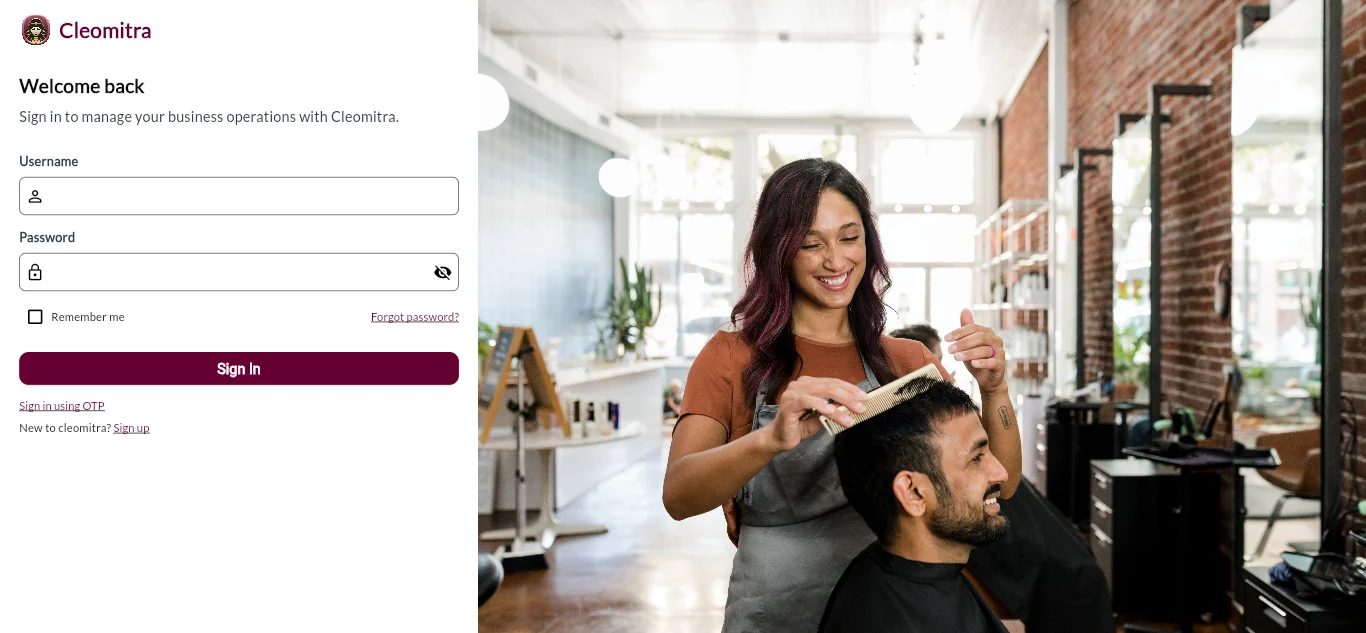
After signing up, you’ll get access to the Cleomitra dashboard where you can manage integrations, campaigns, and CRM features.
Step 2: Requirements for WhatsApp API Setup
Before connecting WhatsApp API, make sure the following requirements are ready.
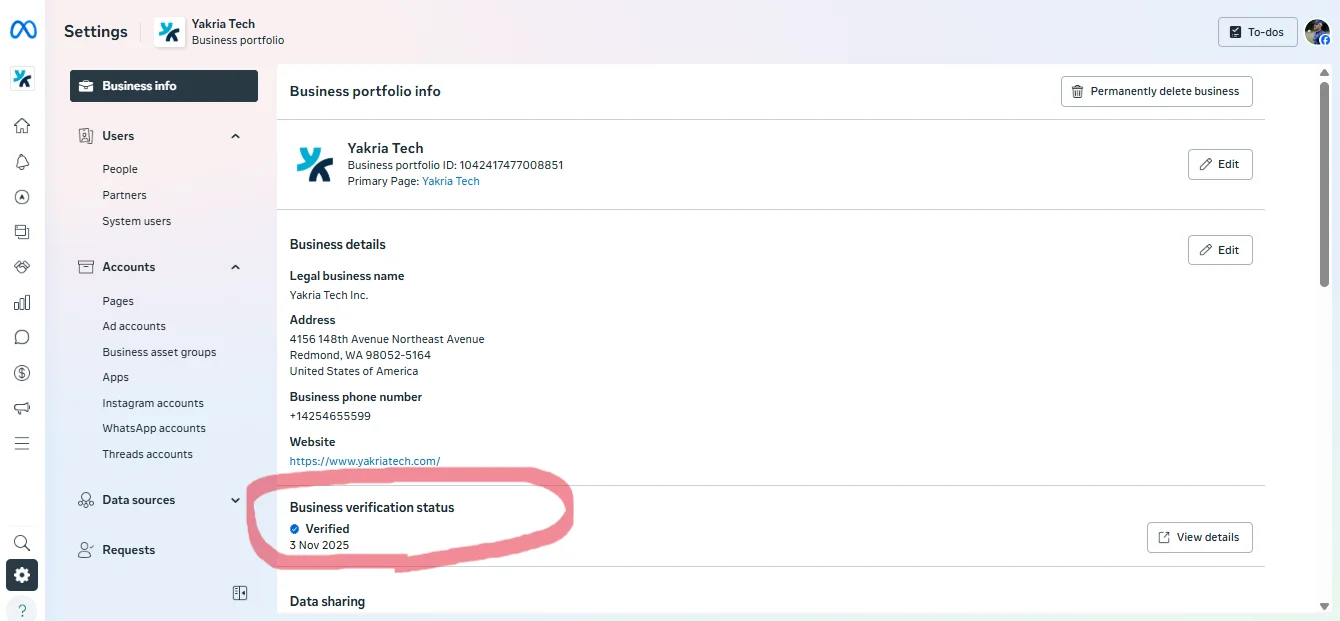
Mandatory Requirements
- Registered Meta Business Portfolio: You must have a verified Meta Business Portfolio. The Facebook account used must have Admin access with full permissions.
- Phone Number Requirement: The phone number you want to use with WhatsApp API must meet one of the following conditions:
- It is not connected to any WhatsApp or WhatsApp Business App (completely free), OR
- It is connected to the WhatsApp Business App — in which case you can use WhatsApp Coexistence and skip the deletion step.
If the number is currently on personal WhatsApp only and you want direct WhatsApp API access:
- Take a full backup first
- Delete the existing WhatsApp account from the app, OR
- Switch to WhatsApp Business App and choose WhatsApp Coexistence instead
If You Don’t Have a Meta Business Portfolio
- Go to 👉 https://business.facebook.com/
- Click Create Business Portfolio
- Fill in your business details
- Submit required business documents:
- Certificate of Incorporation
- GST Registration Certificate (India)
- Udyam/MSME Registration
- Shop & Establishment License
- Trade License
- Partnership Deed (if applicable)
- Company PAN Card (sometimes accepted with other proof)
- Website is mandatory
- Important: Business name in Meta must exactly match your registration document
- Submit for verification
⏳ Approval Time: Verification usually takes 1 to 3 business days, depending on Meta review.
Step 3: Prepare Your WhatsApp Number
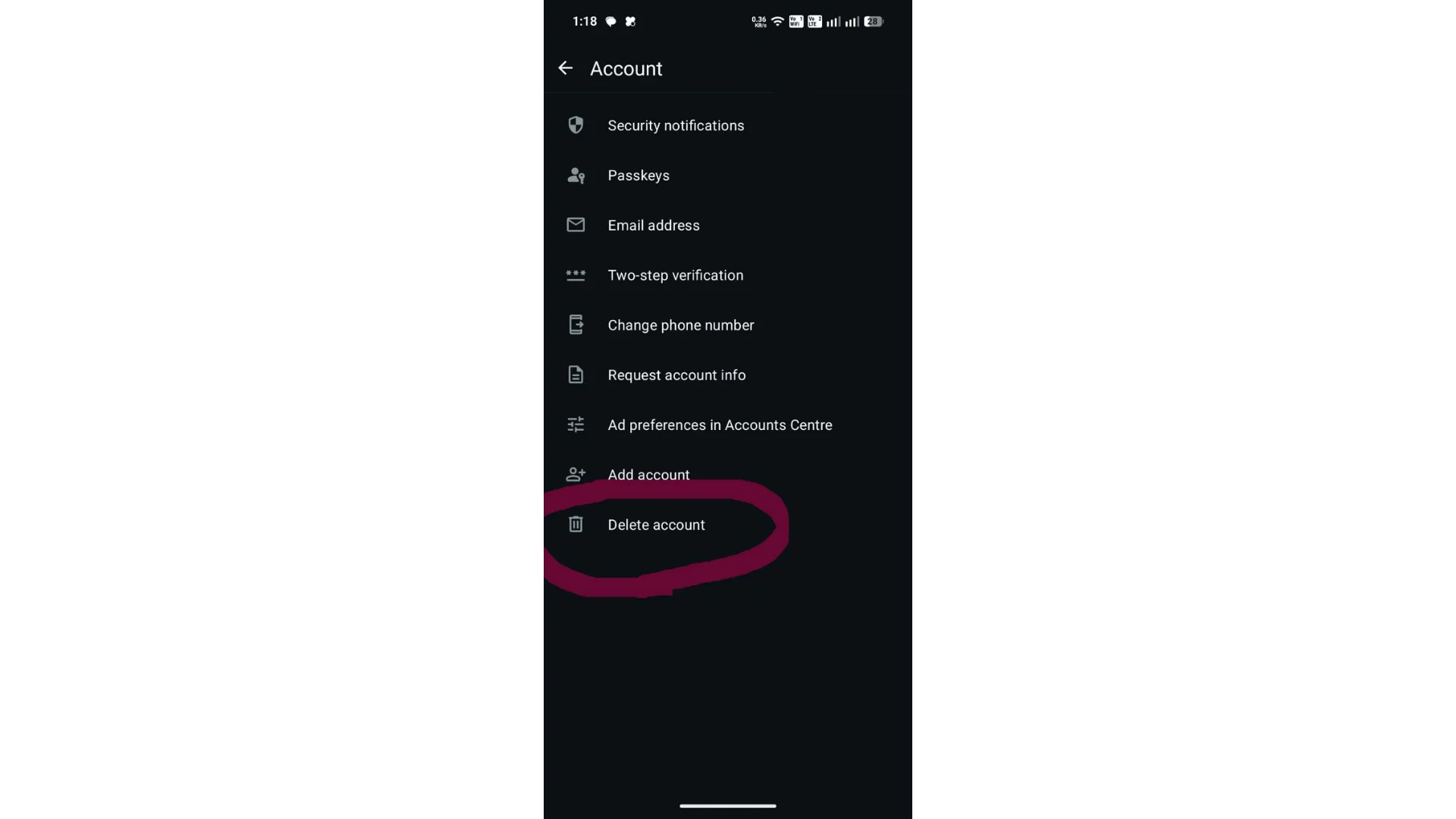
- If you want WhatsApp coexistence, you can directly start the integration by clicking the Connect WhatsApp Business App.
- If you have only personal WhatsApp and want WhatsApp API, you need to delete the phone number from the app first; then only you can integrate with WhatsApp API, else you can switch to WhatsApp Business and choose WhatsApp coexistence.
- Always take a backup before deleting any existing WhatsApp account.
Step 4: Connect WhatsApp API in Cleomitra
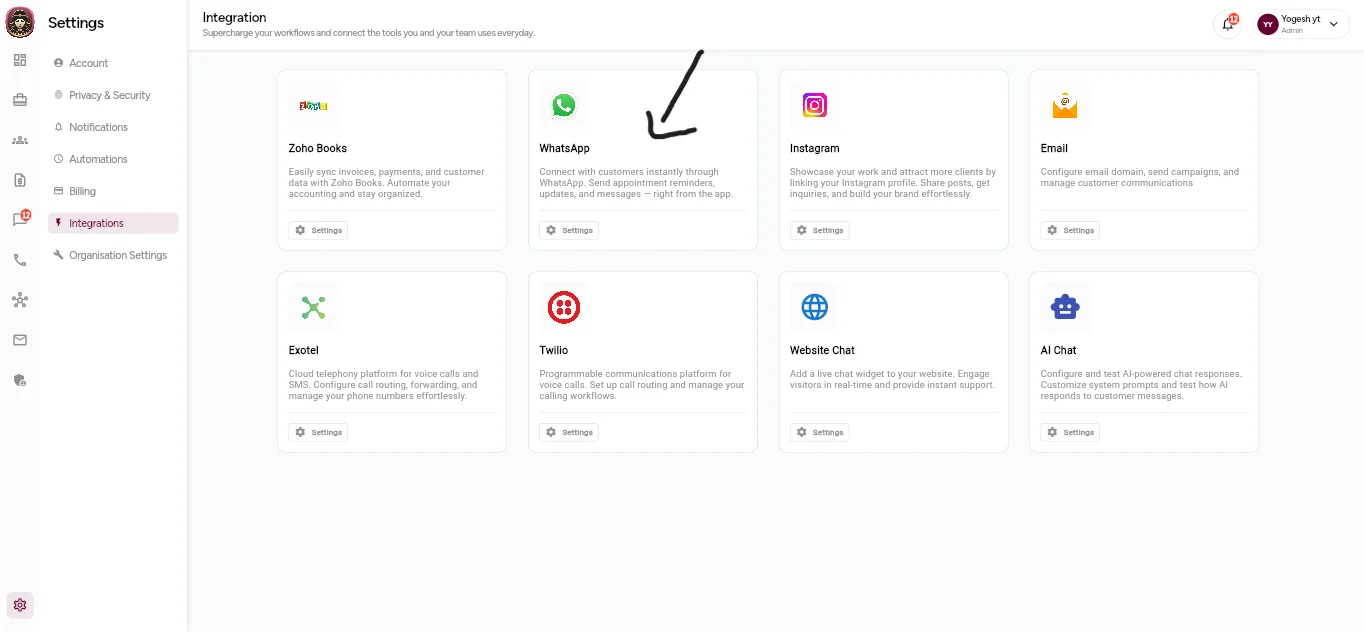
- Go to 👉 https://www.cleomitra.app/
- Navigate to Settings → Integrations → WhatsApp → Settings
- Click Connect WhatsApp
- Log in with Facebook
- Sign in using the account that: Has the required Meta Business Portfolio and has Admin access with full permissions
- Follow the on-screen steps and complete the process
✅ Your WhatsApp number is now connected to Cleomitra.
Step 5: Add a Payment Method in Meta Business Manager
WhatsApp API requires a payment method for conversation billing.
- Go to 👉 https://business.facebook.com/
- Select your Business Portfolio
- Open Business Settings
- Navigate to WhatsApp Accounts
- Go to Payment Settings
- Add a valid Payment Method
Step 6: Add and Approve WhatsApp Display Name
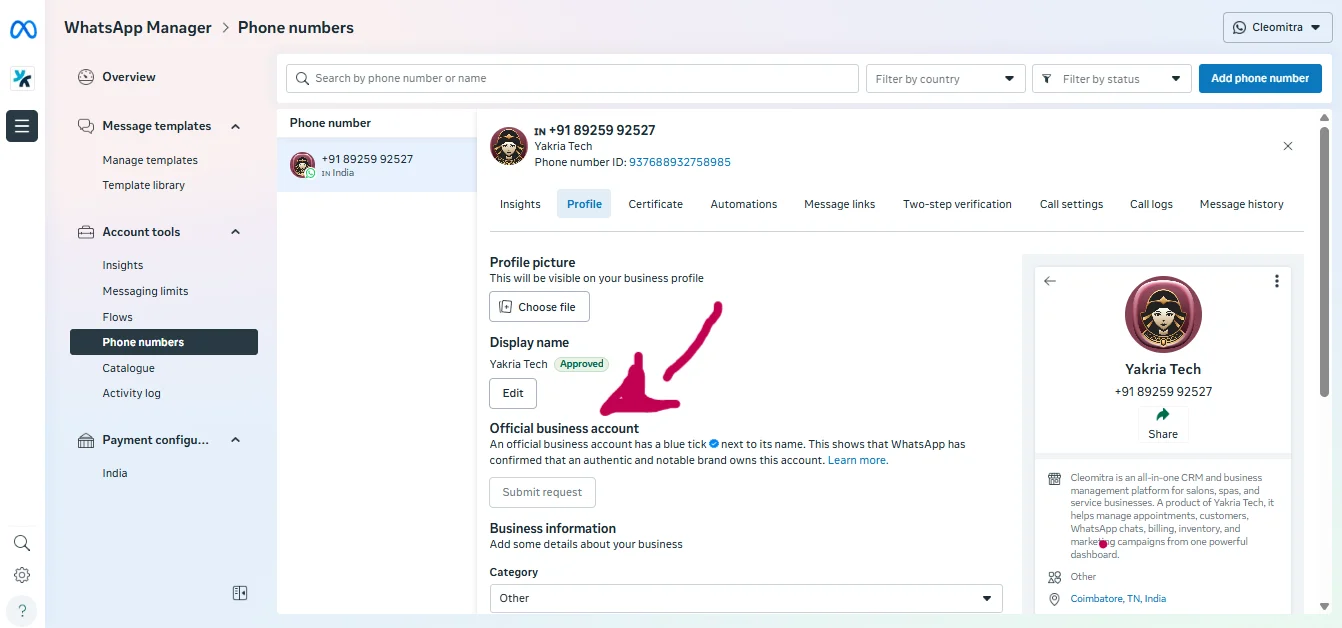
- Go to Business Settings → WhatsApp Manager
- Click on your WhatsApp number
- Add your Display Name
- Submit for approval
⏳ Approval typically takes 1 to 3 business days.
You can also update Business description, Category, and Profile details from the same section.
Step 7: Create WhatsApp Message Templates
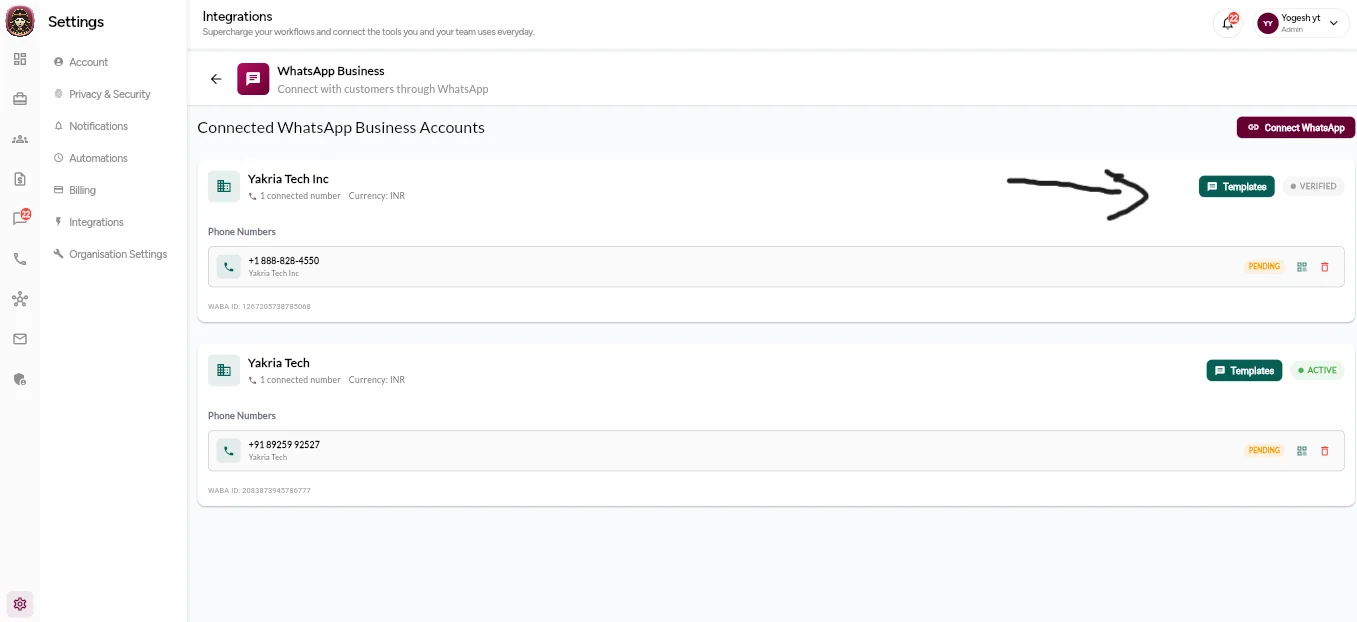
- Go to 👉 https://www.cleomitra.app/
- Navigate to Settings → Integrations → WhatsApp → Templates
- Click Create Template
- Choose the template category: Marketing, Utility, or Authentication
- Create templates based on your use case: Welcome messages, Order updates, Payment alerts, etc.
- All templates must be approved by Meta before use.
Step 8: Create a WhatsApp Campaign in Cleomitra
- Go to 👉 https://www.cleomitra.app/
- Navigate to Campaigns
- Click Create Campaign
- Configure Campaign: Select approved WhatsApp templates, Choose contacts, and Add dynamic variables
- Schedule or send instantly
- Track delivery and responses in real time
What Makes Cleomitra Different from Other Platforms?
Cleomitra is not just a WhatsApp API tool—it’s a complete communication and CRM platform.
Key Advantages of Cleomitra
- ✅ Bring Your Own Payment Method: Unlike many providers, Cleomitra allows you to add your own Meta payment method, giving you full control over WhatsApp billing.
- ✅ Unlimited Messaging Capability: No artificial message limits imposed by the platform. You can send unlimited WhatsApp messages (subject to Meta policies).
- ✅ Built-in CRM: Manage leads, customers, conversations, and follow-ups from a single CRM dashboard.
- ✅ Campaigns + Automation: Run bulk campaigns, automate workflows, and manage replies—all in one place.
- ✅ No Vendor Lock-In: You stay in control of your Meta Business, WhatsApp number, and payment setup.
Please consider the following:
- There is a 24-hour reply window
- Template approval is required for outbound messages
- Fees apply per conversation type
- No support for group messaging
- A verified business meta and WhatsApp-less phone number are required
Final Thoughts
With Cleomitra, WhatsApp API integration becomes simple, transparent, and scalable. Once set up, you can automate communication, set up AI auto-replies, run campaigns, and manage leads effectively. If you’re looking for a flexible WhatsApp API solution with CRM, Cleomitra is built for you.
