

15 Best CRM Software for Small Businesses
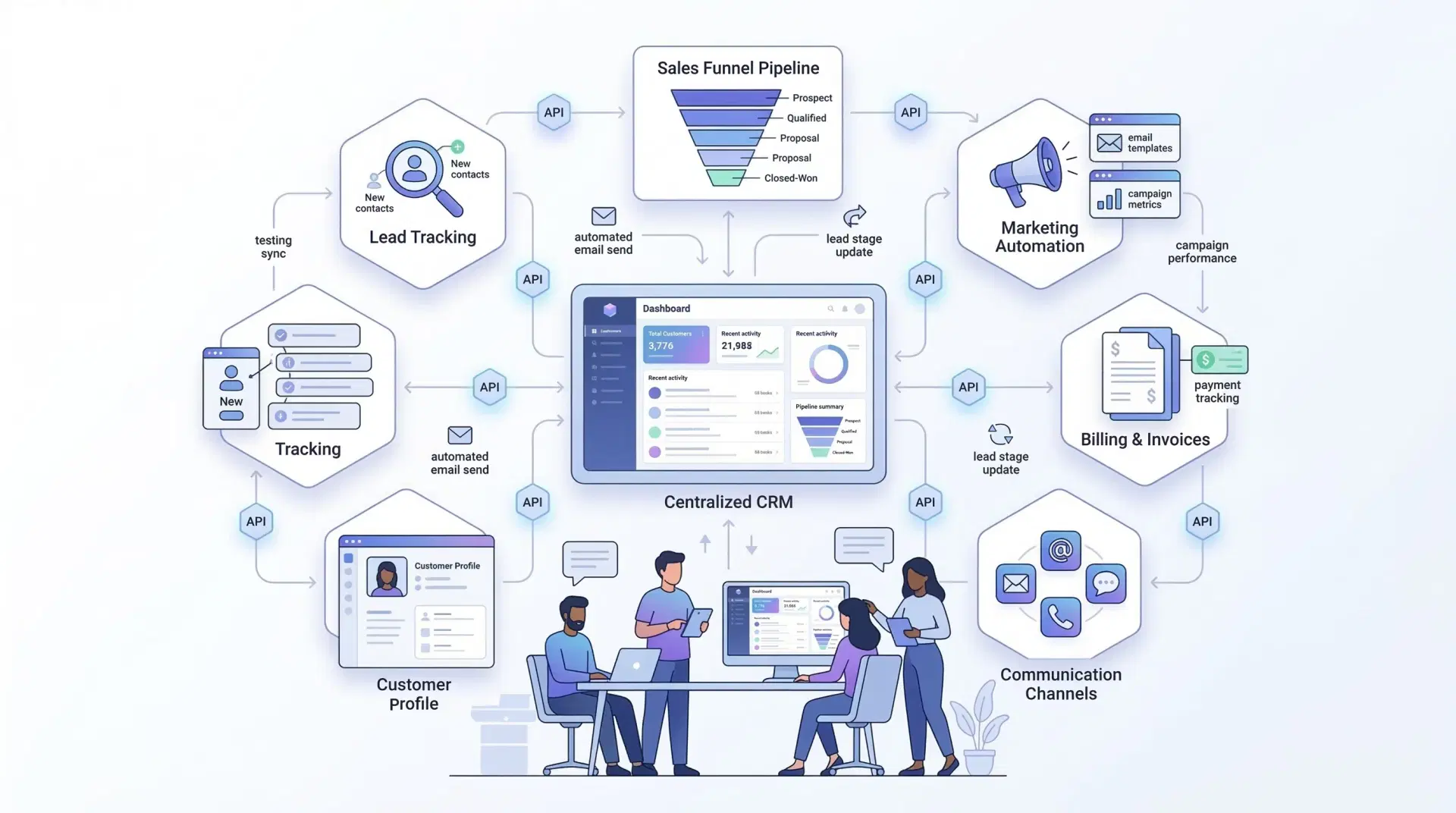
For small businesses, CRM software is no longer limited to sales tracking. A modern CRM helps with marketing, customer support, follow-ups, automation, reporting, and long-term customer relationships. The right CRM turns scattered data into a clear, organised growth system.
1) Cleomitra CRM
Cleomitra CRM is built for small and growing businesses that want clarity, simplicity, and control without complexity. It focuses on managing leads, customers, WhatsApp communication, follow-ups, and workflows from a single dashboard. Cleomitra is especially suitable for Indian SMBs looking for practical automation and WhatsApp-based engagement.
Key Features:
- Lead and contact management
- WhatsApp API integration
- Sales pipeline tracking
- Task reminders and follow-ups
- Custom reports and dashboards
Benefits:
- Simple and easy to use
- Strong focus on WhatsApp-driven sales
- Designed for small business workflows
Limitations:
- Advanced enterprise features are limited
- Still expanding third-party integrations
2) Zoho CRM
Zoho CRM is one of the most widely used CRM platforms for small and mid-sized businesses. It offers tools for sales automation, email tracking, reporting, and integrations with accounting, HR, and marketing tools within the Zoho ecosystem.
Key Features:
- Lead and deal management
- Email and call tracking
- Workflow automation
- Sales forecasting
- Mobile app access
Benefits:
- Highly scalable
- Strong automation capabilities
- Wide integration ecosystem
Limitations:
- Initial setup can be time-consuming
- May feel complex for very small teams
3) Vtiger
Vtiger is an all-in-one CRM that combines sales, marketing, and customer support. It helps businesses manage the full customer lifecycle without switching between tools.
Key Features:
- Lead and contact management
- Built-in helpdesk
- Email campaigns
- Workflow automation
- Custom dashboards
Benefits:
- Multiple business functions in one system
- Strong automation
- Detailed reporting
Limitations:
- Interface can feel heavy
- Advanced features need paid plans
4) HubSpot CRM
HubSpot CRM is popular among startups due to its free entry plan. It offers contact management, deal tracking, email marketing, and basic automation.
Key Features:
- Contact and deal tracking
- Email marketing
- Live chat and ticketing
- Reporting dashboard
- Marketing integrations
Benefits:
- Free plan available
- Very user-friendly
- Strong marketing tools
Limitations:
- Advanced features are expensive
- Limited customisation in free tier
5) Pipedrive CRM
Pipedrive is designed mainly for sales-focused teams. Its visual pipeline helps teams stay focused on closing deals.
Key Features:
- Drag-and-drop sales pipelines
- Deal tracking
- Email integration
- Sales forecasting
- Activity reminders
Benefits:
- Easy to use
- Strong sales focus
- Clear deal visibility
Limitations:
- Limited marketing tools
- Not ideal for customer support
6) Freshsales
Freshsales is built for active sales teams and includes lead scoring, built-in calling, and automation to speed up deal closures.
Key Features:
- Built-in phone and email
- Lead scoring
- Visual pipelines
- Sales automation
- Activity tracking
Benefits:
- Ideal for sales-driven teams
- Strong communication tools
- Good performance tracking
Limitations:
- Limited marketing features
- Best tools require paid plans
7) Flowlu
Flowlu combines CRM with project management and finance tracking, making it suitable for service-based businesses.
Key Features:
- Sales pipeline
- Project and task management
- Invoicing and payments
- Client portals
- Team collaboration
Benefits:
- Sales and projects in one system
- Good financial tracking
- Useful for agencies
Limitations:
- Not ideal for large sales teams
- Interface can feel busy
8) Monday CRM
Monday CRM offers a highly visual and customisable experience built on the Monday work platform.
Key Features:
- Custom sales boards
- Visual dashboards
- Task automation
- Team collaboration
- Forecasting tools
Benefits:
- Highly flexible
- Easy to understand
- Good for team coordination
Limitations:
- Pricing can be high
- Setup requires planning
9) Capsule CRM
Capsule CRM focuses on simplicity and ease of use, making it ideal for small teams.
Key Features:
- Contact management
- Sales tracking
- Task reminders
- Email integration
- Basic reports
Benefits:
- Clean interface
- Affordable
- Easy learning curve
Limitations:
- Limited automation
- Basic feature set
10) Salesmate
Salesmate supports sales tracking, automation, and communication with a strong mobile experience.
Key Features:
- Deal tracking
- Email and SMS automation
- Sales reporting
- Workflow automation
- Mobile app
Benefits:
- Easy to set up
- Good automation
- Cost-effective
Limitations:
- Limited customer support tools
- Basic analytics
11) Kommo
Kommo is a chat-centric CRM designed for businesses that rely on WhatsApp and messaging apps.
Key Features:
- WhatsApp and chat integrations
- Sales funnels
- Chatbots
- Lead scoring
- Contact management
Benefits:
- Strong messaging automation
- Faster customer response
- Good for chat sales
Limitations:
- Limited email marketing
- Not ideal for offline sales
12) NetHunt
NetHunt works directly inside Gmail, making it ideal for email-heavy businesses.
Key Features:
- Gmail integration
- Email automation
- Lead tracking
- Task management
- Custom pipelines
Benefits:
- Works inside inbox
- Saves time
- Simple interface
Limitations:
- Limited outside Gmail
- Fewer advanced tools
13) Folk
Folk focuses on relationship management rather than traditional sales pipelines.
Key Features:
- Shared contact lists
- Relationship tracking
- Email syncing
- Tags and groups
- Collaboration tools
Benefits:
- Ideal for networking businesses
- Clean design
- Easy collaboration
Limitations:
- Limited sales automation
- Not for large sales teams
14) Keap
Keap combines CRM, automation, payments, and bookings for small businesses.
Key Features:
- Lead management
- Email and SMS automation
- Appointment booking
- Payment tools
- Sales pipelines
Benefits:
- Strong automation
- Built-in payments
- Saves manual effort
Limitations:
- Higher starting cost
- Limited design flexibility
15) Salesforce Starter
Salesforce Starter is an entry-level CRM that allows businesses to grow into the Salesforce ecosystem.
Key Features:
- Lead tracking
- Sales pipelines
- Automation rules
- Reports
- Mobile access
Benefits:
- Reliable brand
- Scales easily
- Powerful analytics
Limitations:
- Higher cost
- Setup complexity
Key Features to Look for in a Small Business CRM
- Scalability
- Automation
- WhatsApp & Email integration
- Mobile access
- Data security
- Custom workflows
- E-commerce support
How to Choose the Right CRM
- Understand your business needs
- Involve your team
- Focus on essential features
- Match the tool to your budget
- Test before finalising
Conclusion
A CRM is no longer optional for small businesses. The right CRM brings structure, automation, clarity, and growth. Whether you choose a lightweight tool like Cleomitra CRM or a scalable ecosystem like Zoho CRM, the best CRM is the one that fits your workflow and helps your team work smarter—not harder.
